Odoo 13 is available!
Odoo 13 was launched at Odoo Experience 2019. Odoo Experience was held this year on October 2, 2019. Fabien Pinckaers, the CEO of Odoo, presented Odoo 13 and all its new features. Odoo 13 truly is a fantastic version. 10 new Apps and so many improvements that every company will want this version.
Below is a complete overview of the main new features of Odoo 13.
What is new in Odoo 13?
The latest Odoo version 13 has 10 new Apps and many extensions to existing Odoo Apps.
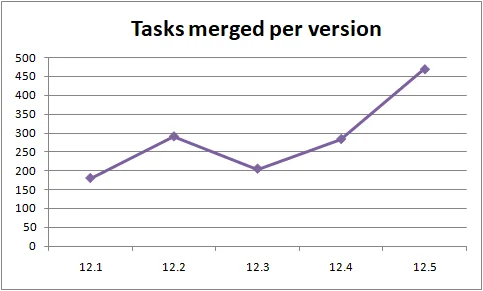
At the time of writing, Odoo has completed 1,418 tasks to expand and improve Odoo 13. In contrast to Odoo 12, there were 892. Each task goes through different phases, such as: specification, development, testing, code reviews, design, merging, etc.
Odoo is developing at an enormous pace and is even 59% faster than last year.
Source: https://twitter.com/fpodoo
New >> Odoo Rental
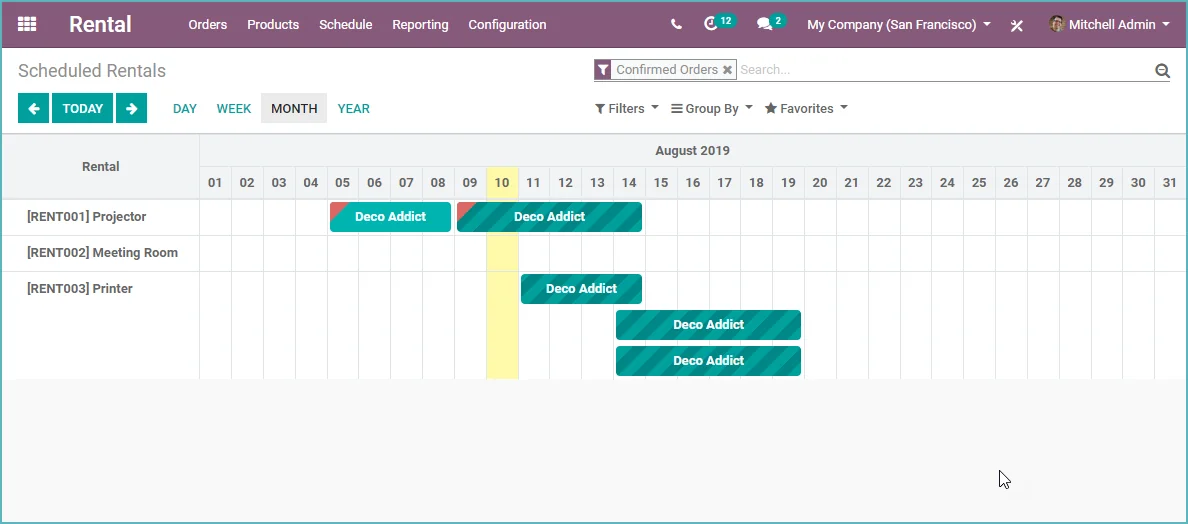
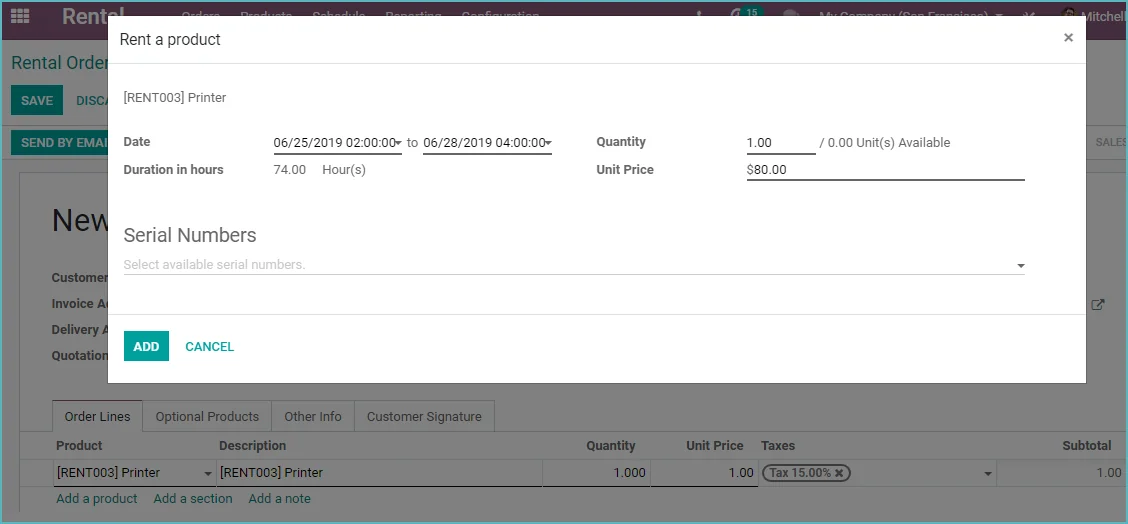
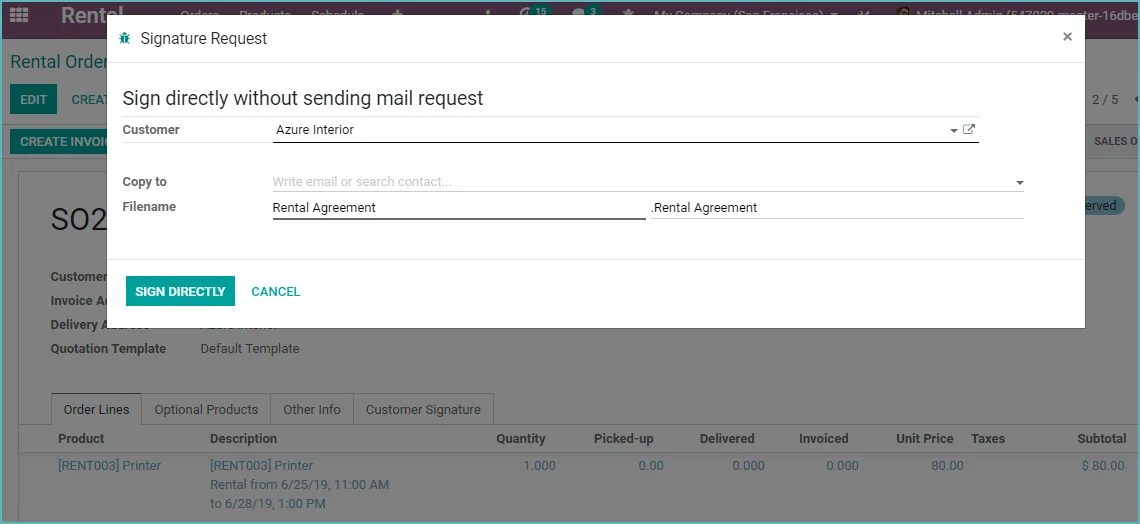
Now rent out products in Odoo. Create rental orders and Odoo will create pickup and return actions. The module has a clear planning board, so it is easy to see which product is available and which product is already rented out.
- Rental products
- Shipping and return registration
- Linked to your inventory
- Clear rental overview
- Digital signing
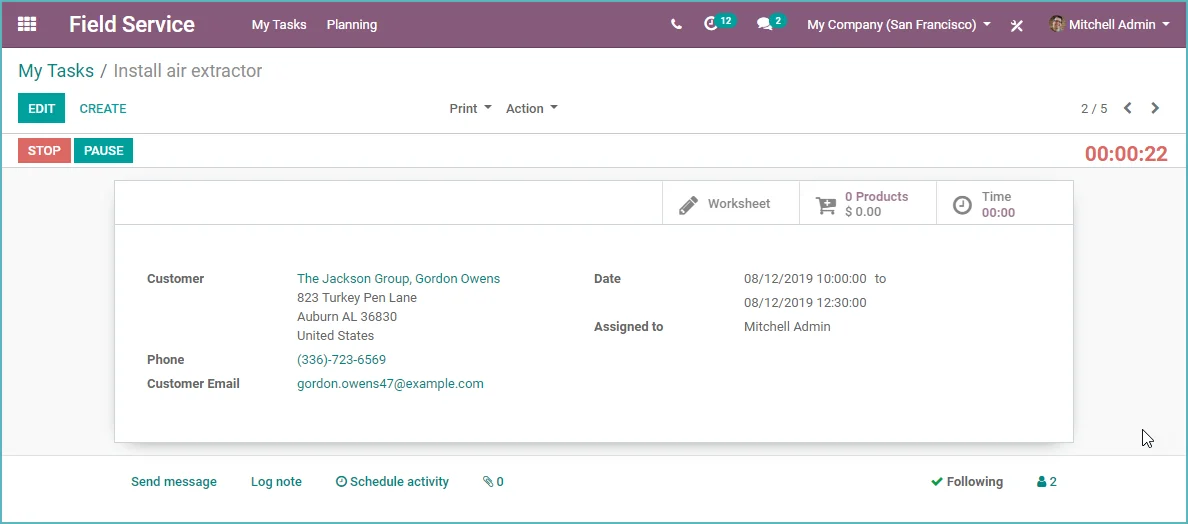
New >> Odoo Field Service
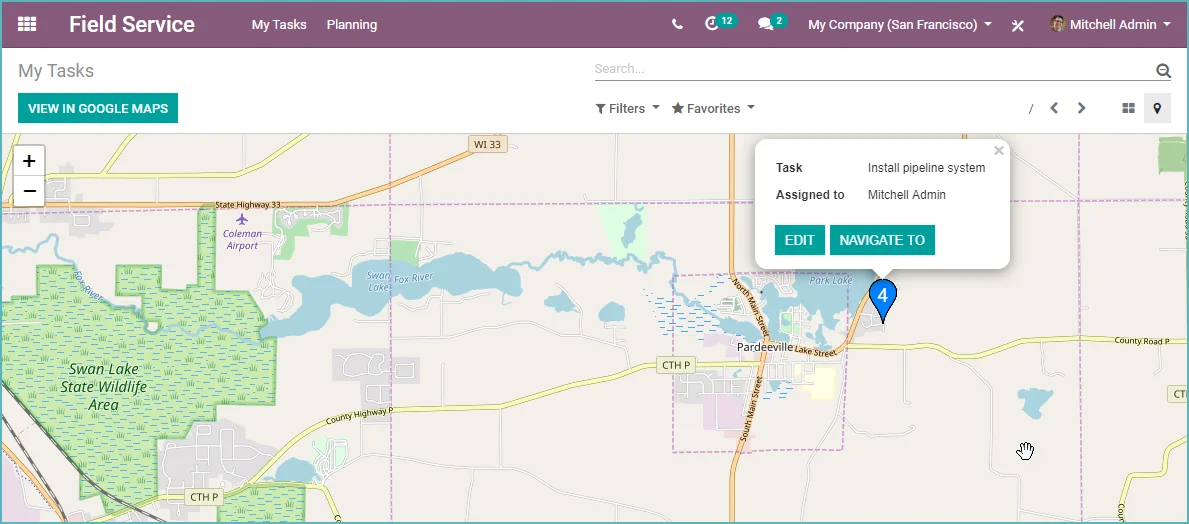
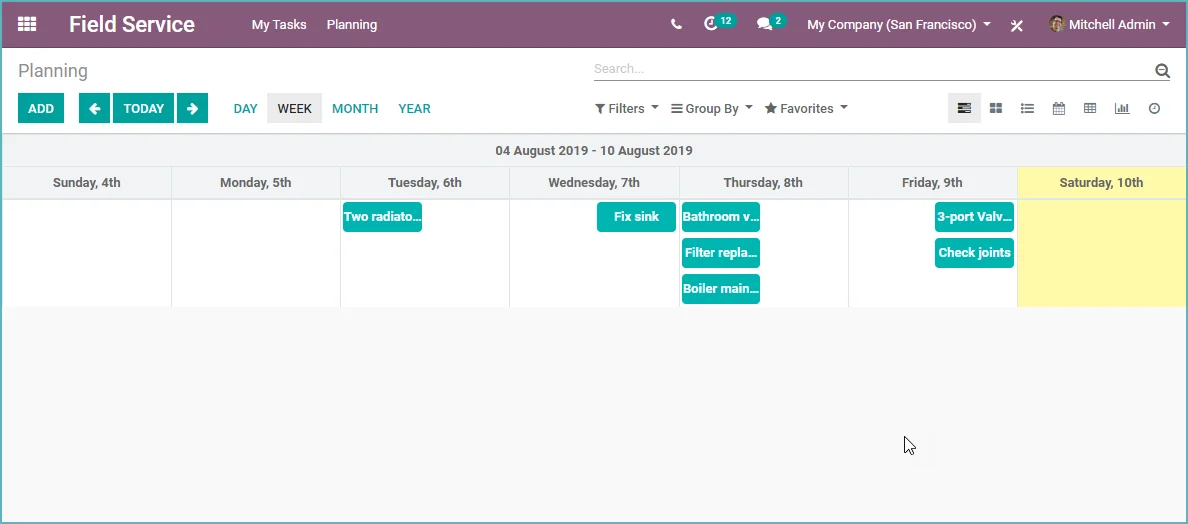
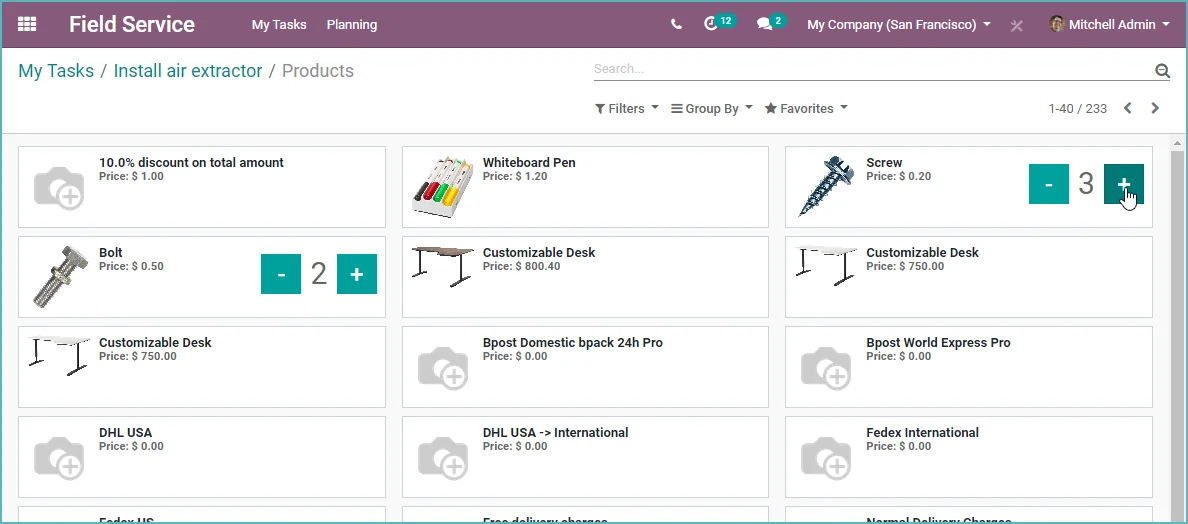
It is now possible to create work orders for field service. A work order includes a work description, and the field service employee can register their time spent and materials used. Once the job is completed, the customer can sign digitally for approval. If additional material needs to be ordered, an extra sales order can also be created immediately. The time spent and materials used can be invoiced easily.
- Create work orders
- Create work descriptions
- Fully mobile-friendly
- Map view to view locations
- Registration of time spent and products used
- Create invoices and orders for backorders.
New >> Odoo Approvals
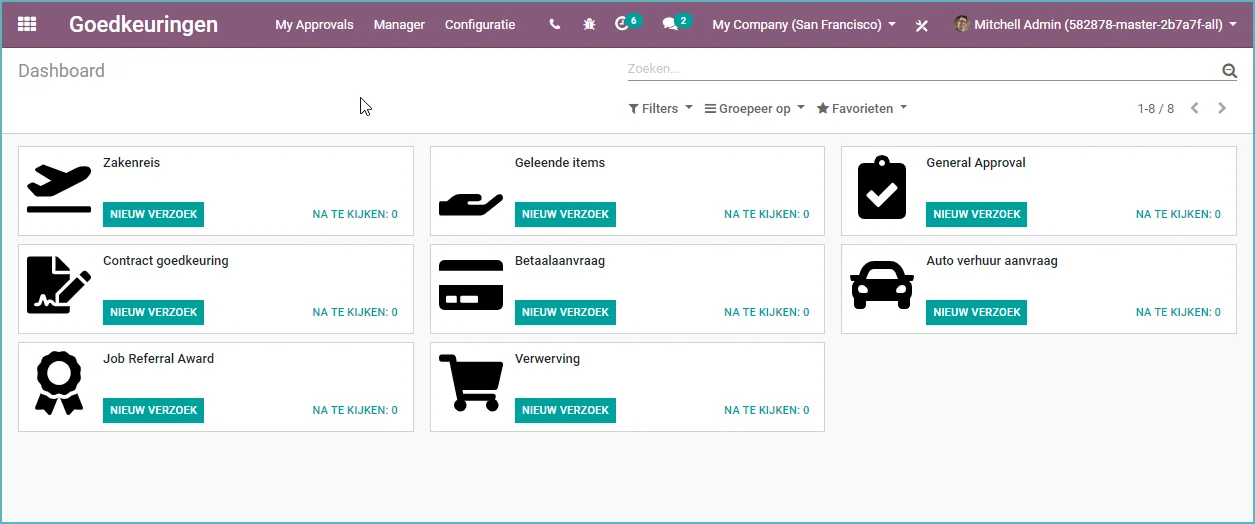
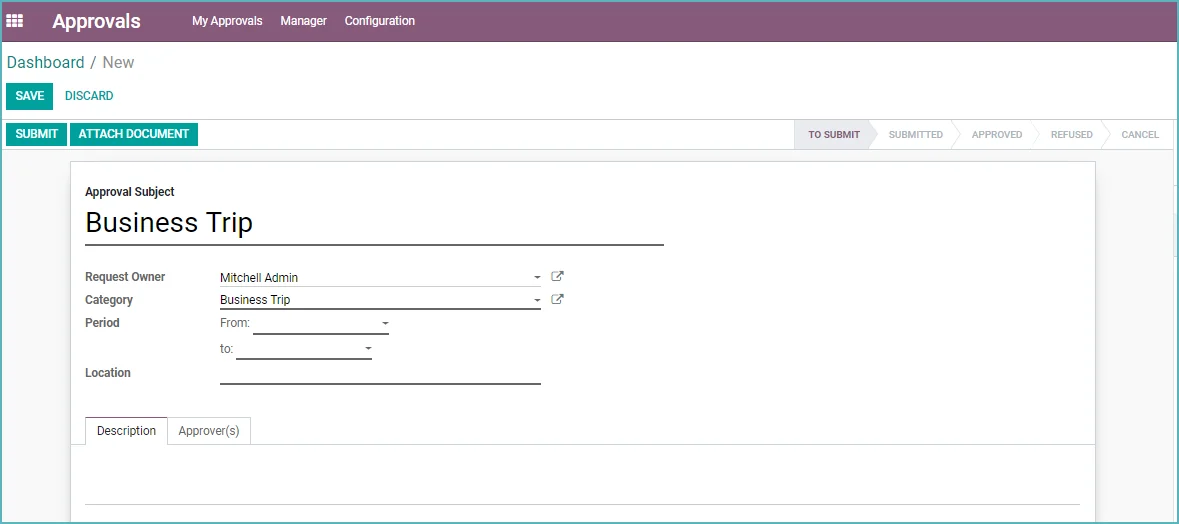
Manage requests and approve them. Do you need to take a trip and buy a ticket, or does a contract need to be approved? These are just two examples of requests that can be approved through this new Odoo app. You can now create your own approval procedure. An employee can then submit a request via Odoo.
- Create approval types and determine which values must be entered
- Employee can submit request
- Manager can approve request

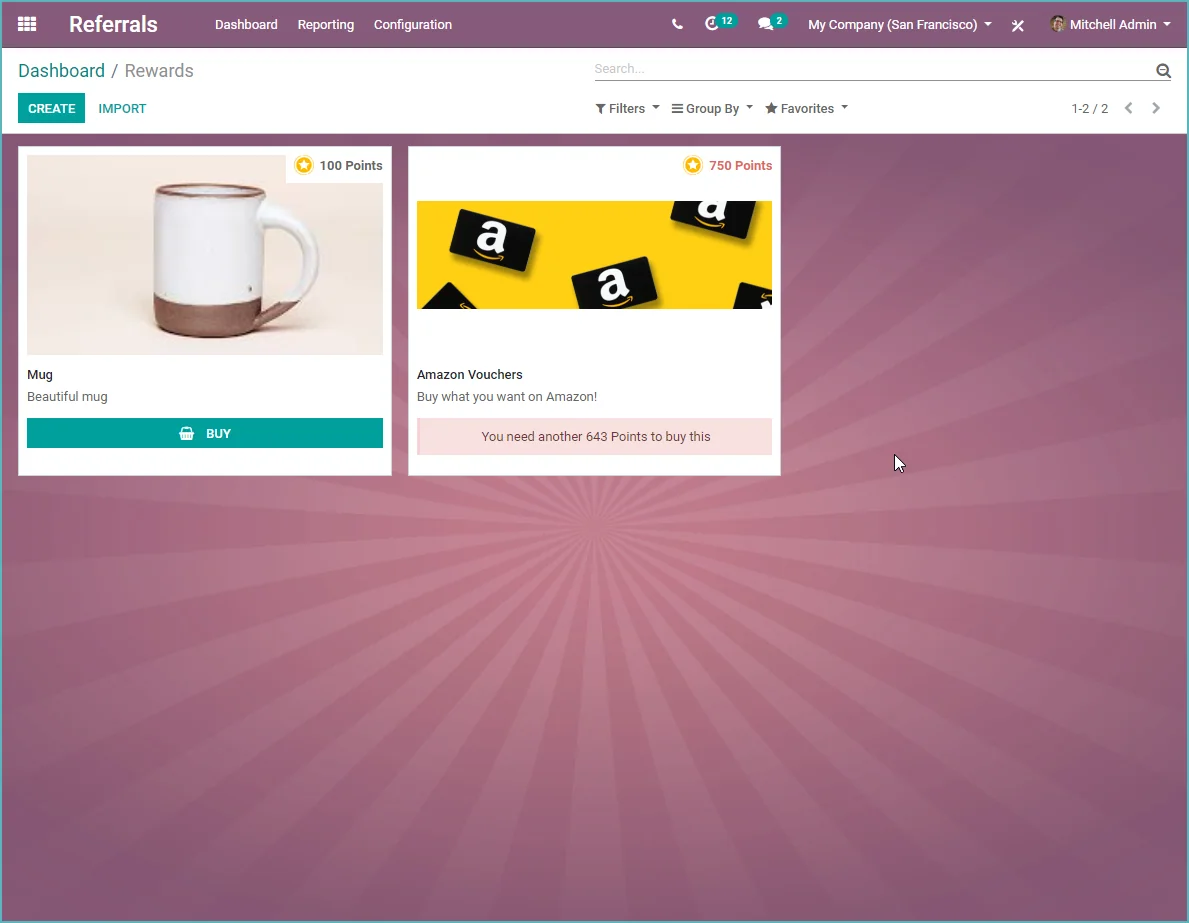
New >> Odoo Referrals
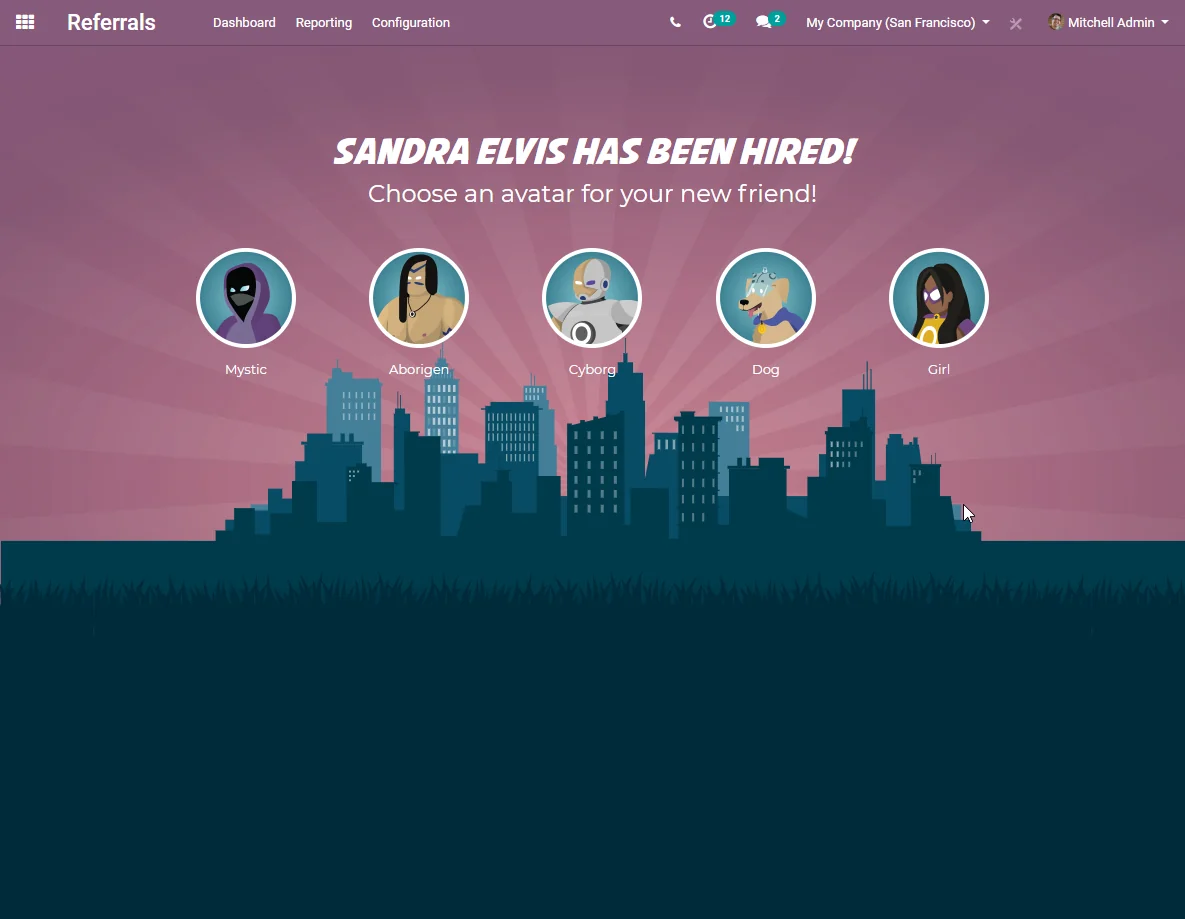
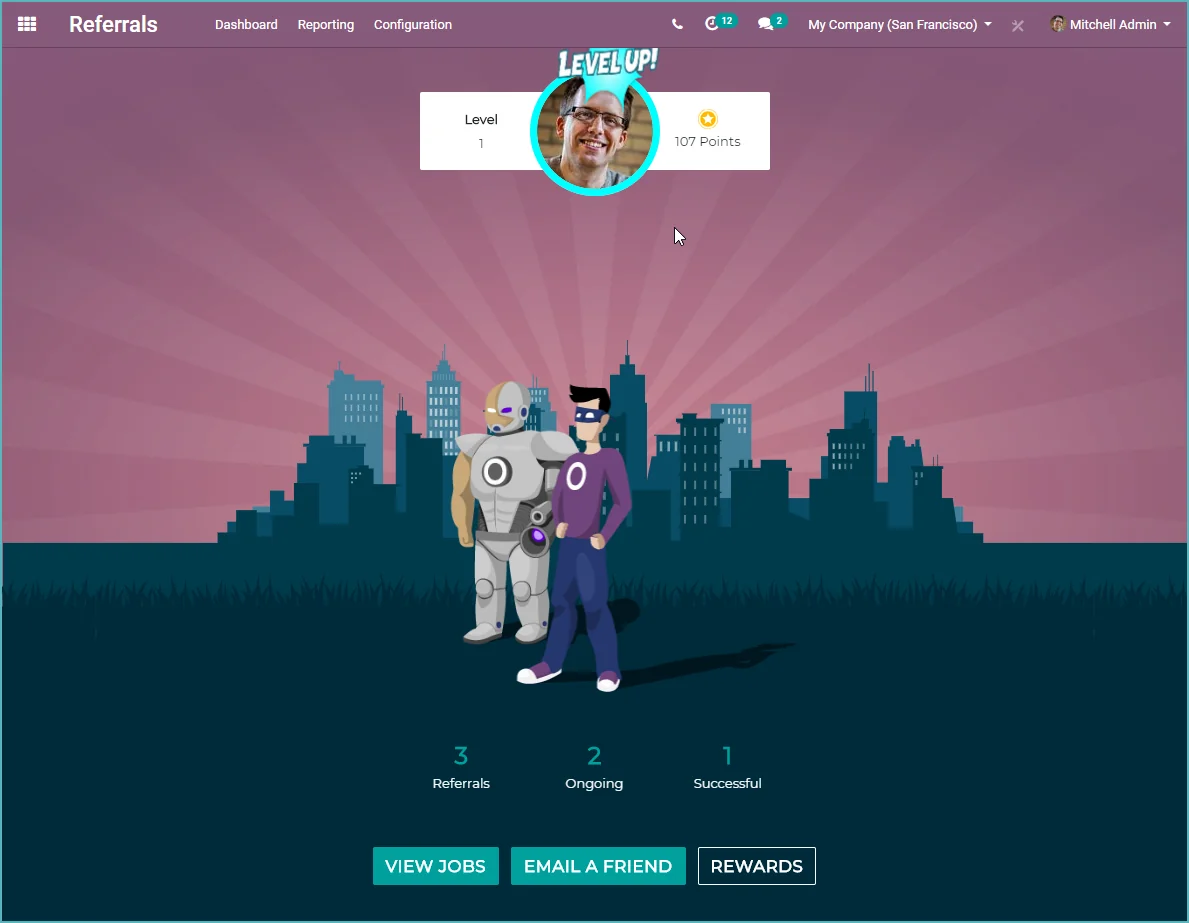
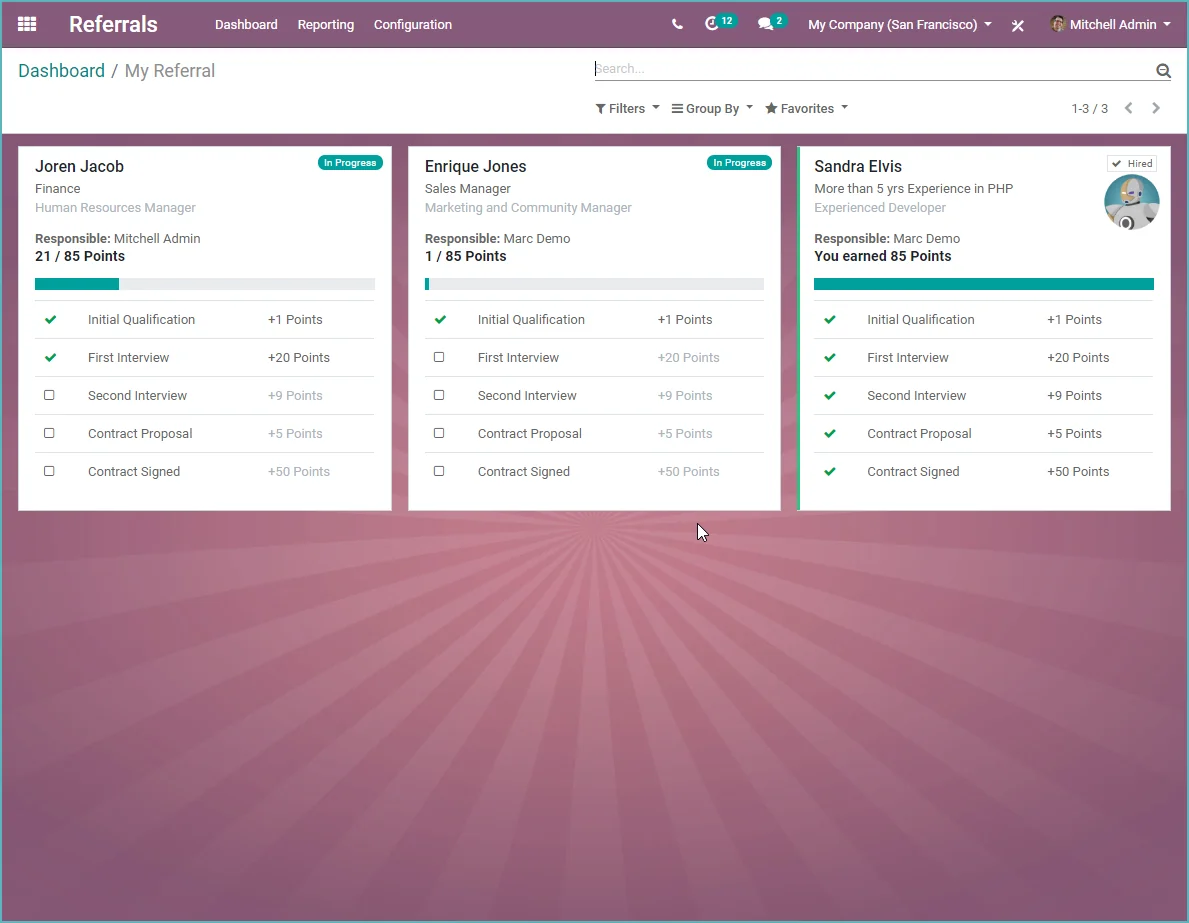
Let your employees promote your open vacancies and reward them for referrals.
For larger companies, employees can now point people to vacancies within your company (referrals). You can give employees a reward for bringing in candidates for open vacancies.
Recruiting new employees by using referrals from colleagues is becoming increasingly popular. Read about the benefits here in the 8 most important employee referral statistics.
New >> Odoo E-learning
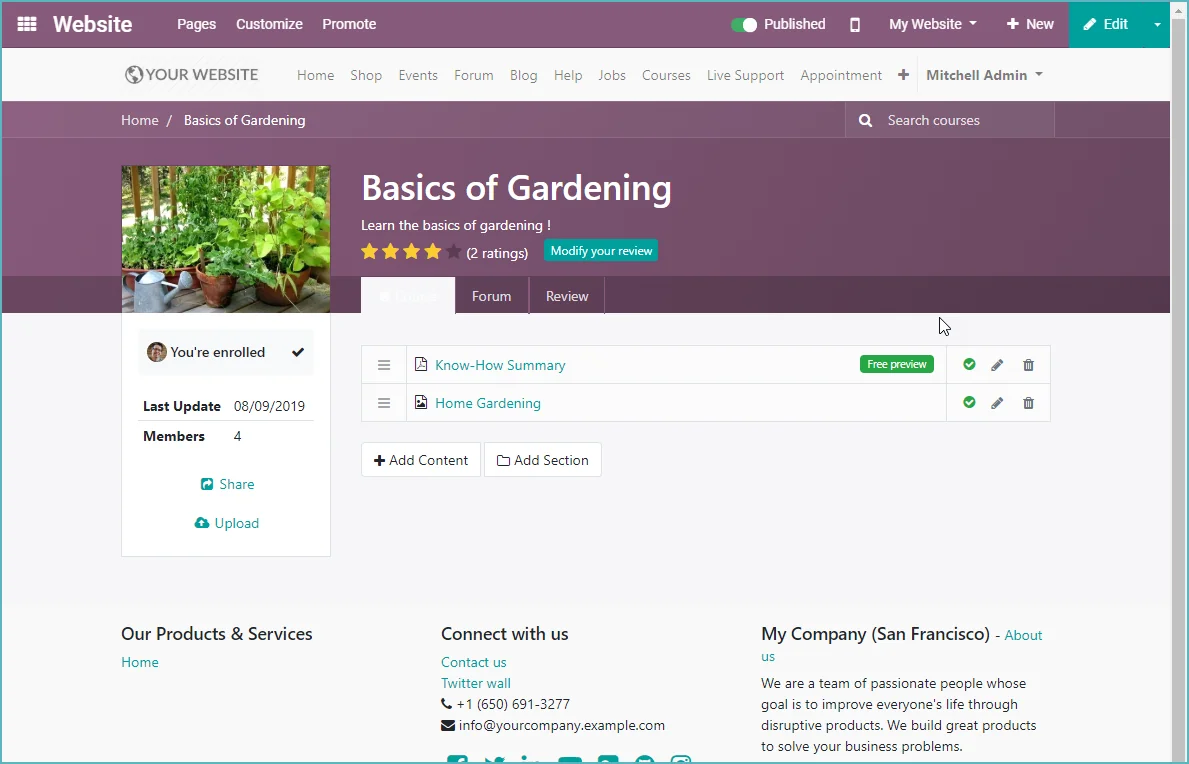
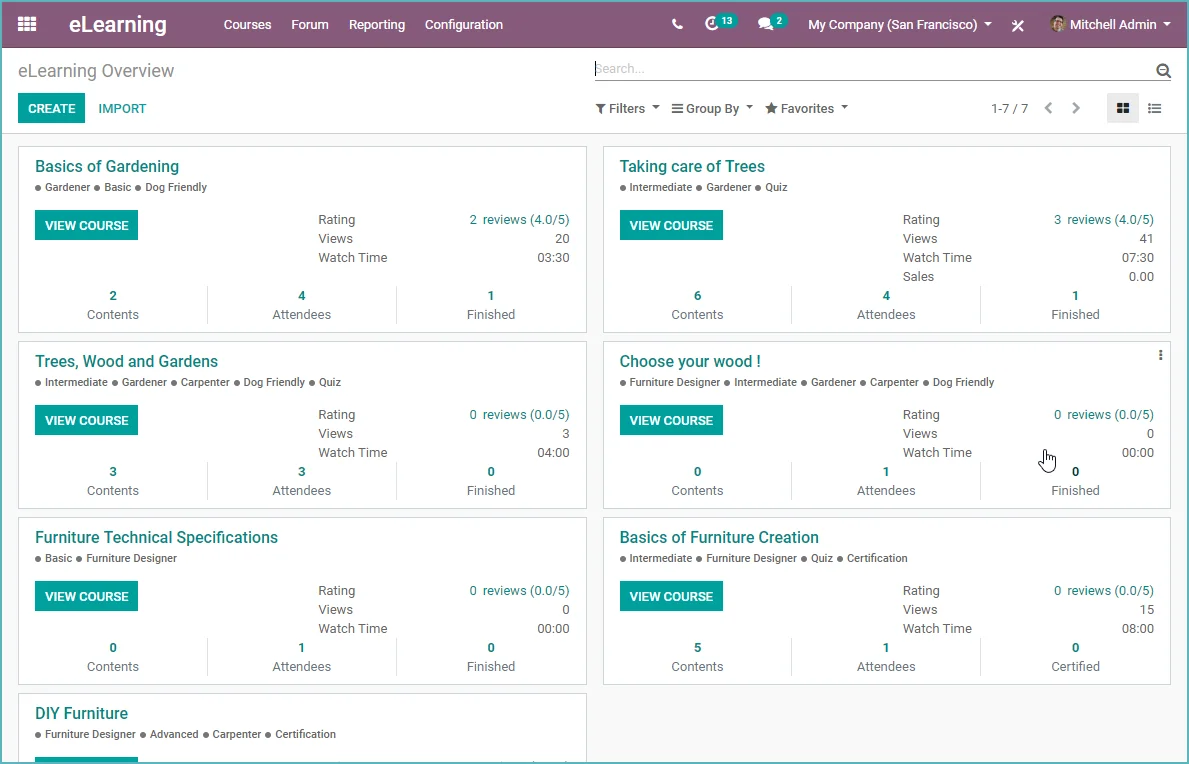
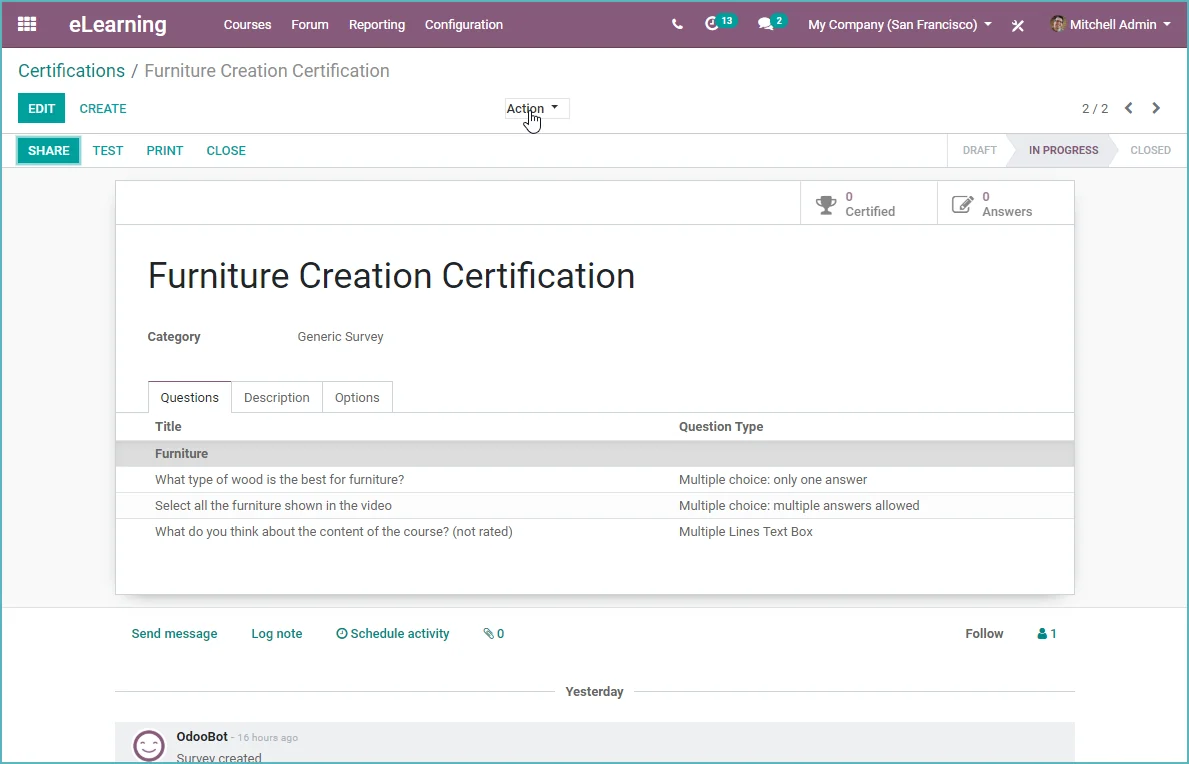
A completely new e-learning platform is now part of Odoo. You can now set up a training platform with instructions, videos, and a forum. You can certify students. All of this online, integrated with the Odoo website
- Training courses
- Website content
- Certification
- Reviews
- Forums
- Quizzes

New >> Odoo social media
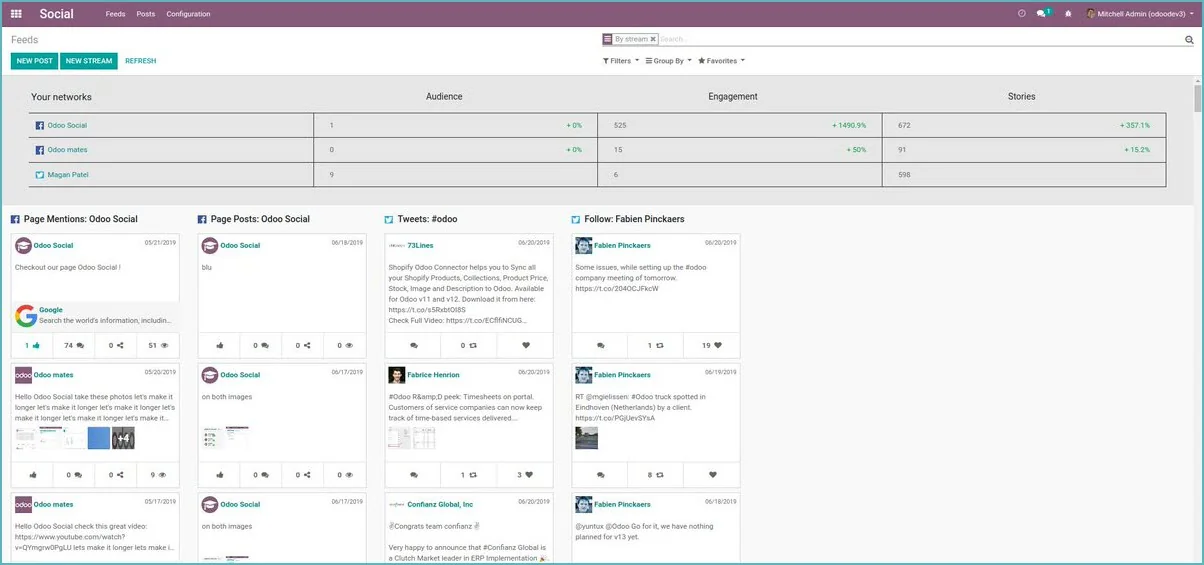
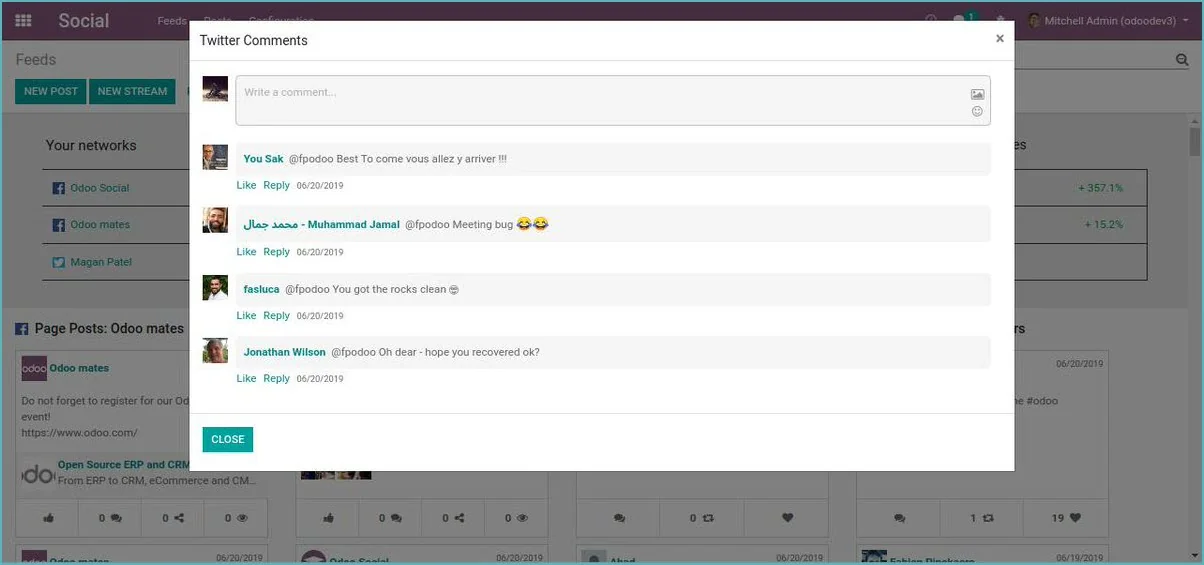
Manage your social media posts from Odoo. New in Odoo 13 - the social media App.
Now manage all your social media tools from Odoo. This new App also supports Odoo's vision of integrating everything into Odoo. So no complicated connections and no more copying and pasting your social media posts. You now do it directly from Odoo.

New >> Odoo Amazon Connector
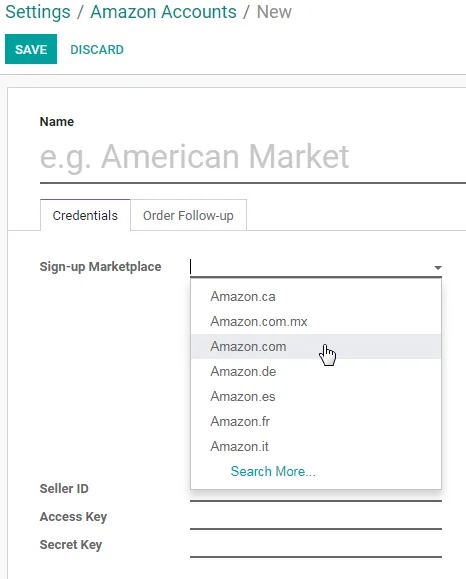
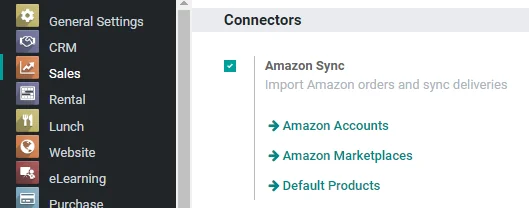
Now connect Odoo to Amazon. Now standard in Odoo 13.
- Import orders from multiple accounts and marketplaces
- Orders are linked to Odoo products based on their internal reference (SKU in Amazon)
- Deliveries and cancellations in Odoo are synchronized with Amazon
- Support for both Fulfillment by Amazon (FBA) and Fulfillment by Merchant (FBM):
- FBA: Inventory monitoring in Amazon Fulfillment Centers is done with an inventory location and inventory moves.
- FBM: delivery notifications are sent to Amazon for each confirmed delivery

New >> Odoo SMS Marketing
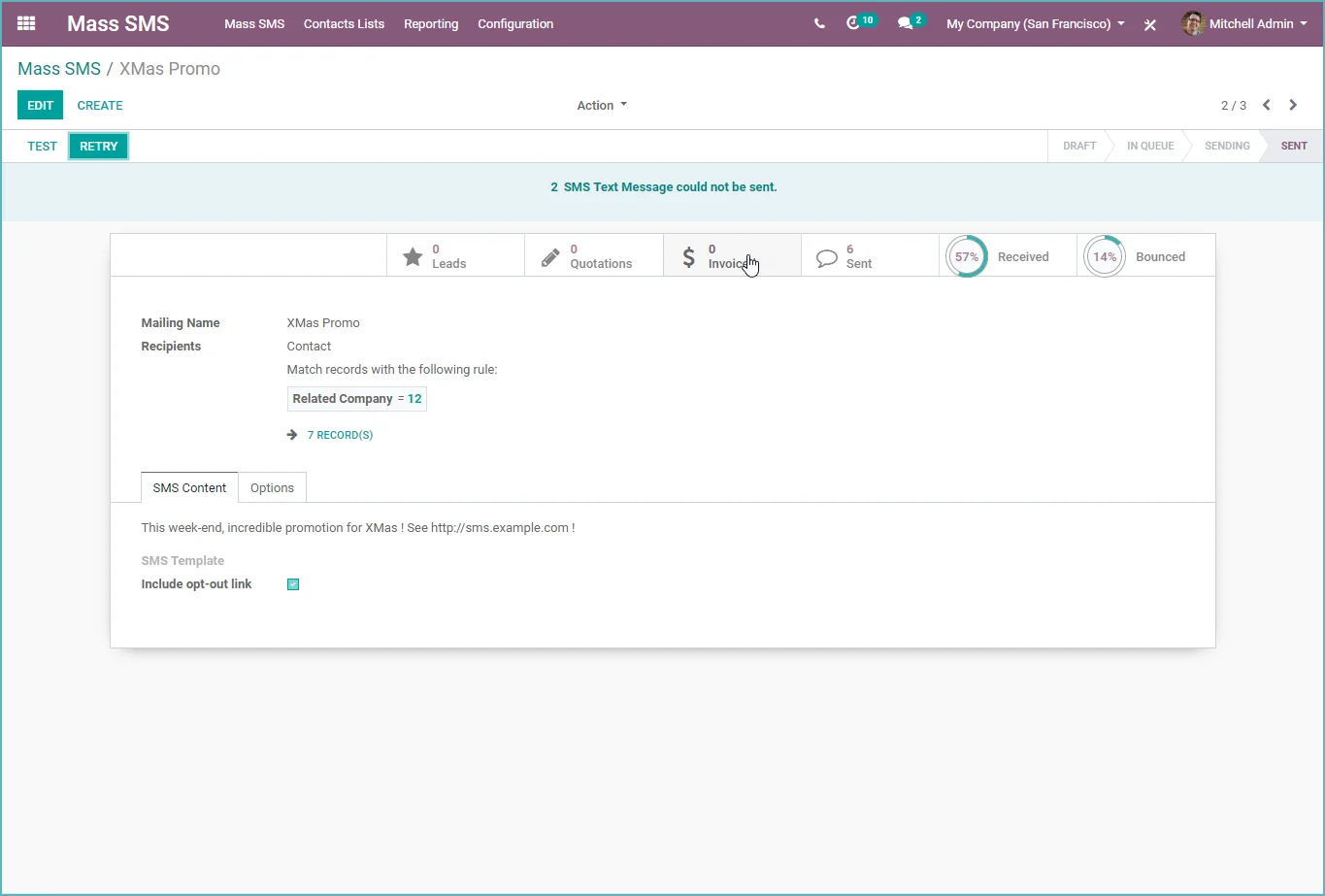
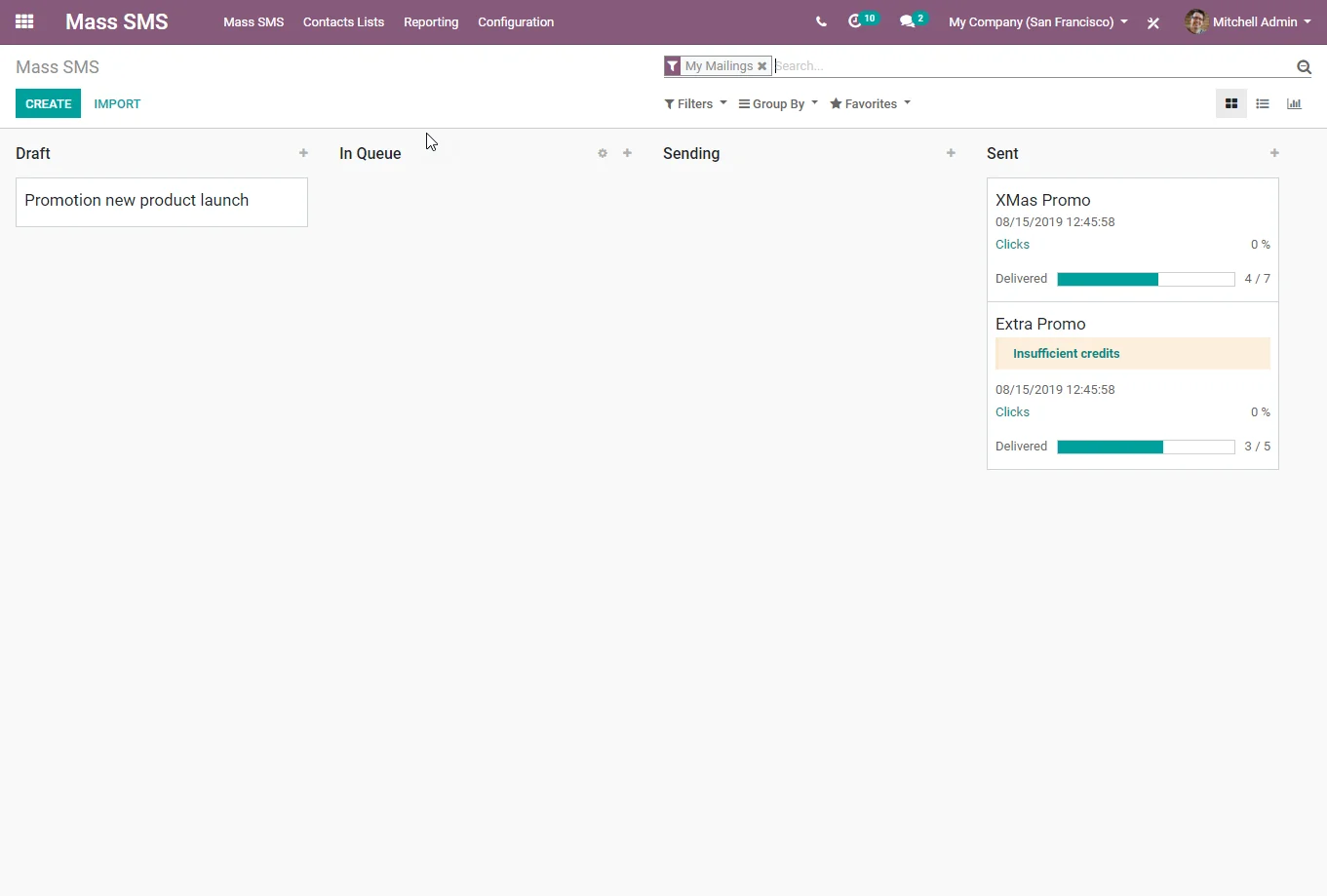
Now send SMS messages in batches to your contacts in Odoo.
SMS is a powerful marketing tool. For example, it is perfect for communicating a sale or a coupon code, welcoming a new customer in a reliable way, and much more.

New >> Odoo Planning
Creating schedules is now even easier.
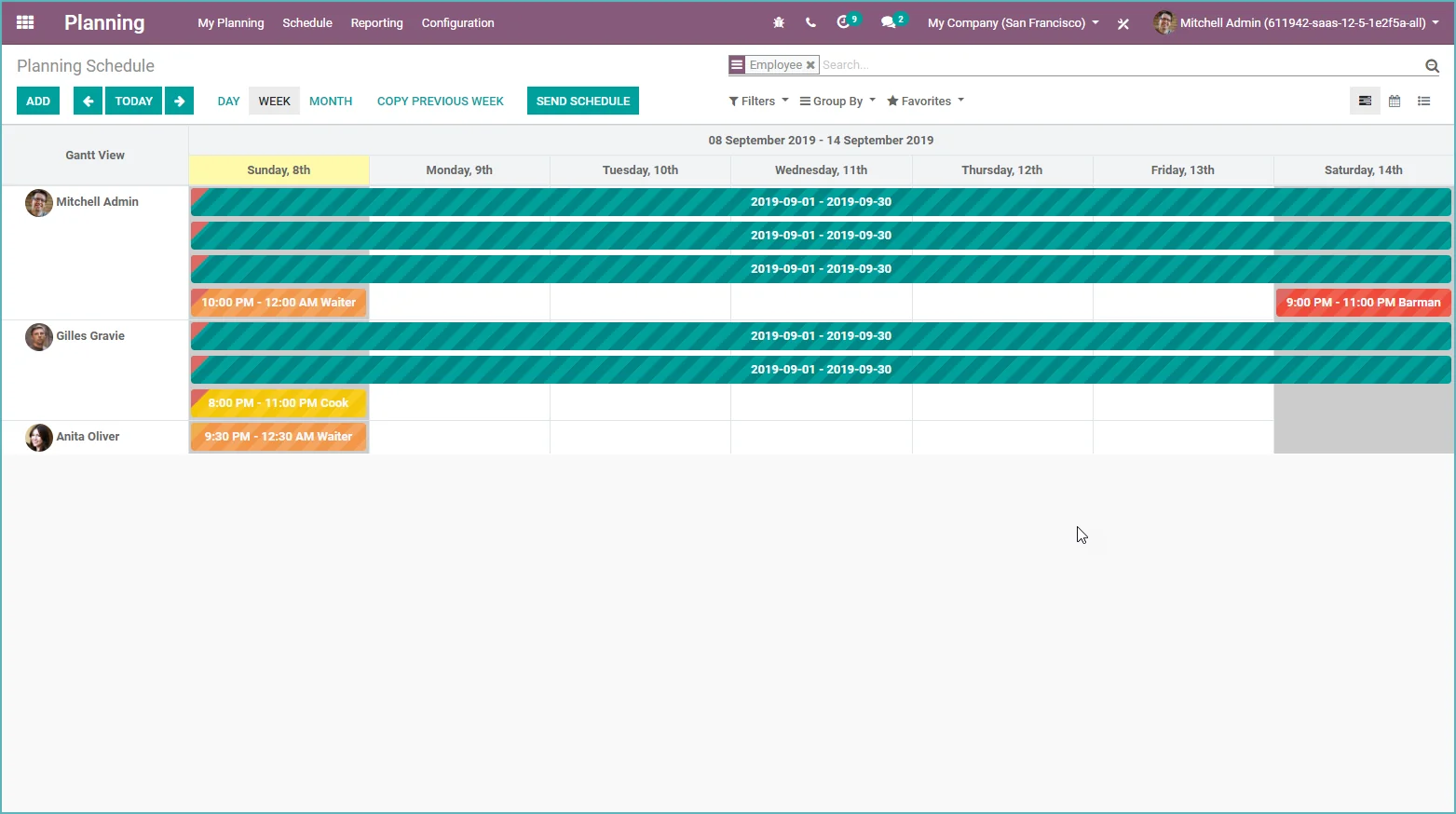
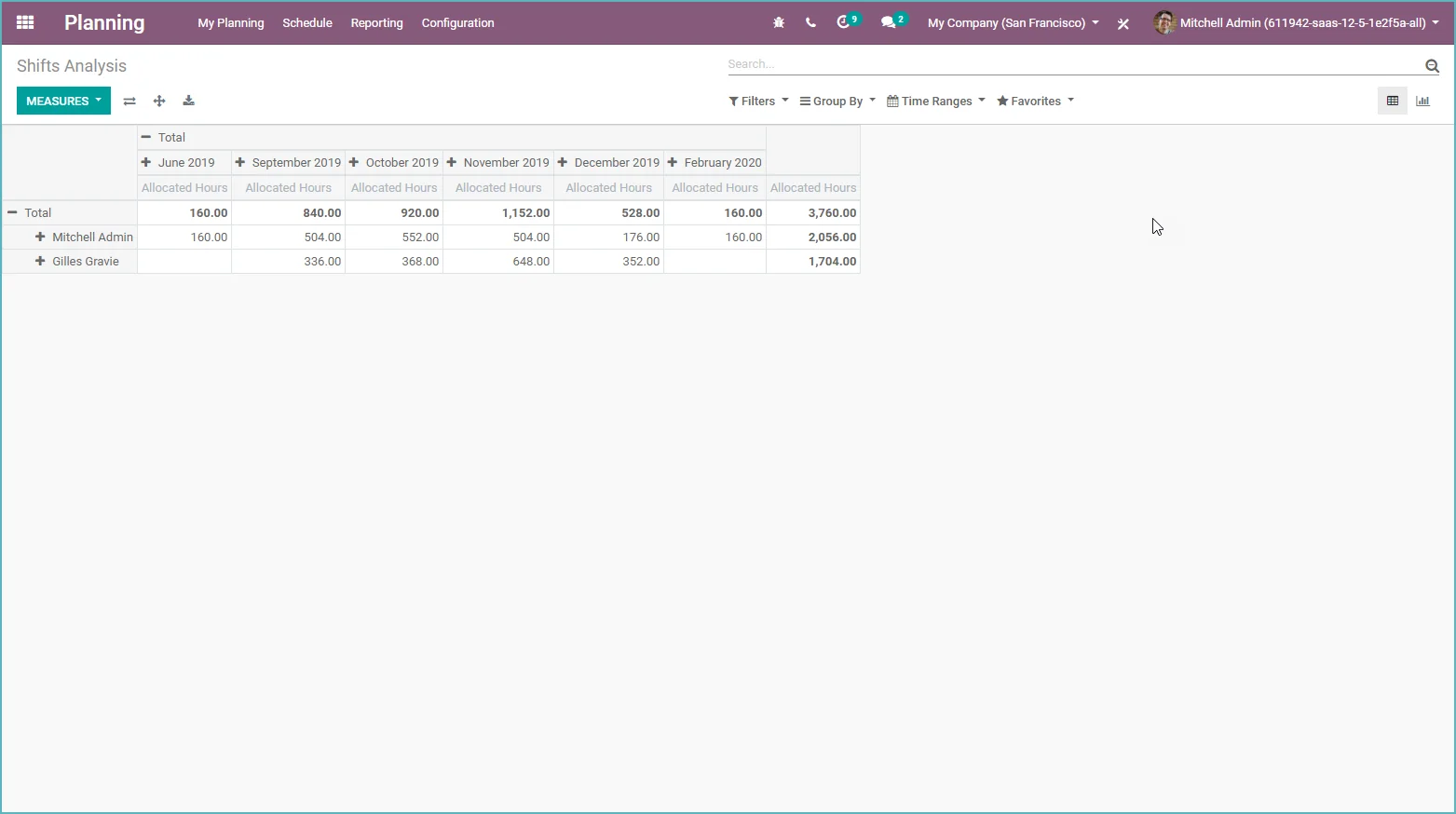
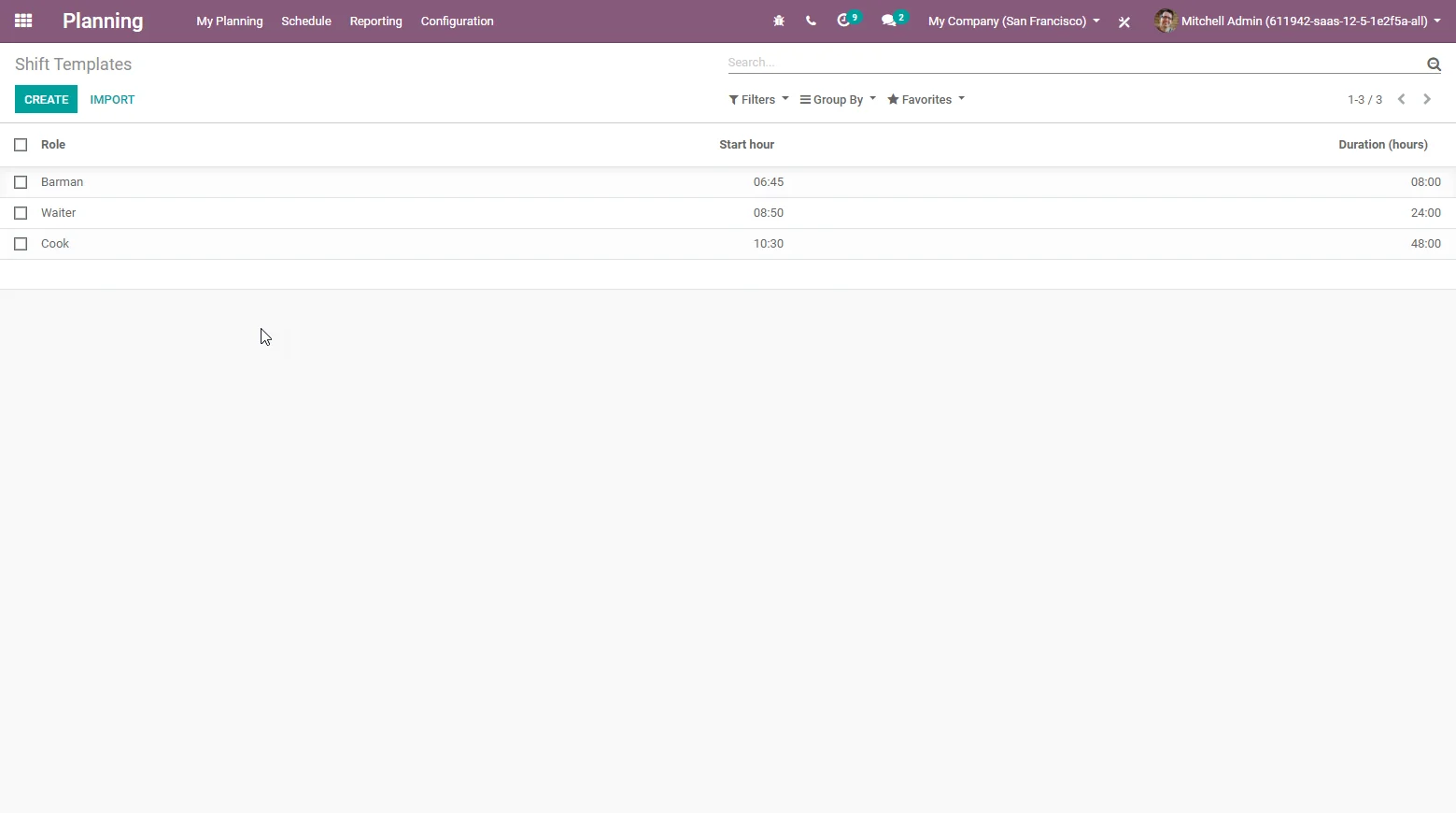
Odoo 13 has a completely new app for creating schedules. In Odoo, you could already create project forecasts, but these are now included in the Planning app. The following features are included:
- You can easily create schedules based on planning templates
- You can view the roster per employee or role in a Gantt view
- You can create roles and rosters for employees
- Once your roster is ready, you can email it to those involved
- Odoo shows the assigned percentage and time based on the roster
- You can now add recurring shifts
New >> Odoo Consolidation
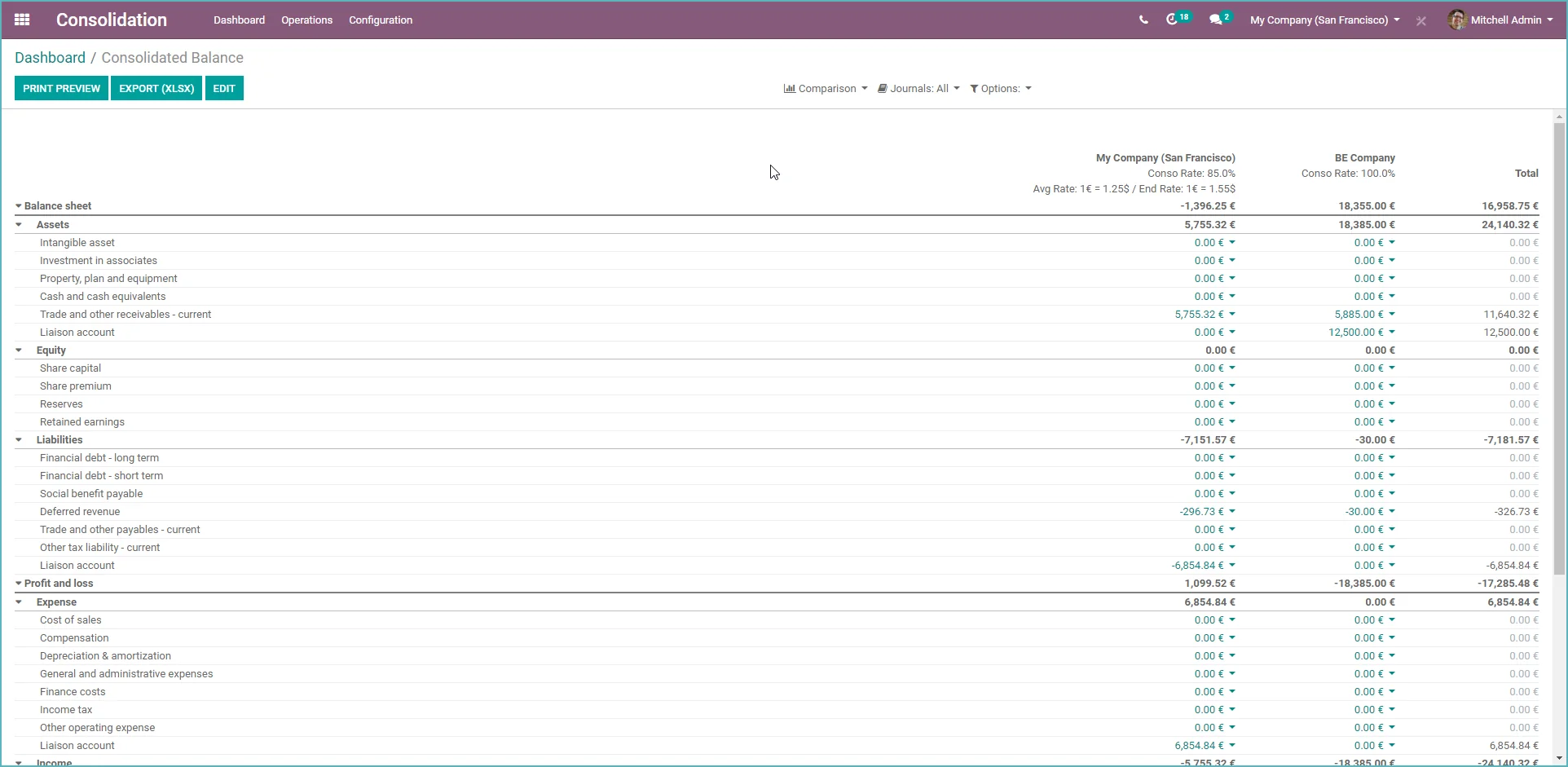
With this module, you can create a consolidation table of general ledger accounts, define the mapping of general ledger accounts for different companies, and create the consolidation for these accounts in a single report.
You can adjust the exchange rates and the consolidation rate for each company.

Odoo CRM
Odoo 13 - What's new in Odoo CRM?
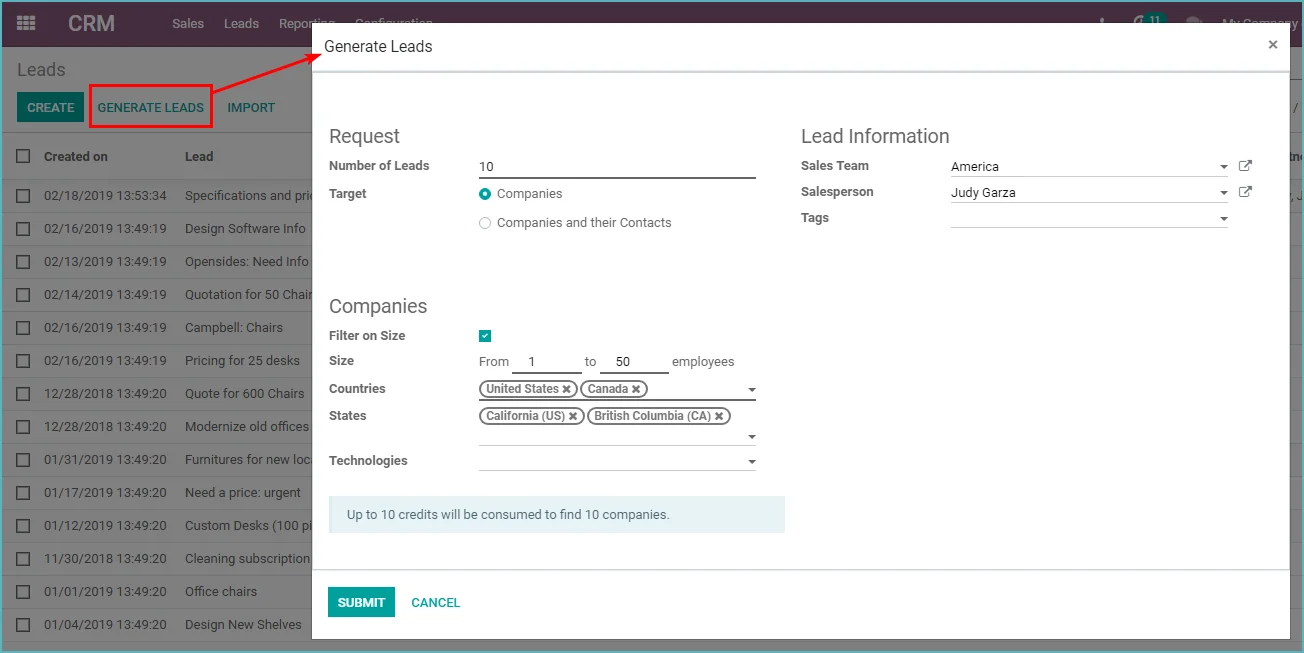
- Salespeople can now request leads as an In-App Purchase service. Not enough leads? Press a button to get more!
- Create a lead via Odoo Live Chat by entering the /lead command.
- The success probability of a lead/prospect is now calculated automatically using a Naive Bayes probability calculation.

Odoo Sales
Odoo 13 - What's new in Odoo Sales
- The invoicing process has been simplified
- The activity view has been further expanded
- Product pricing and pricelist management have been simplified
- If the delivery address is changed, an activity is added to the delivery
- You can now add a service product to an existing project
- You can now configure which columns you want to see in the order lines
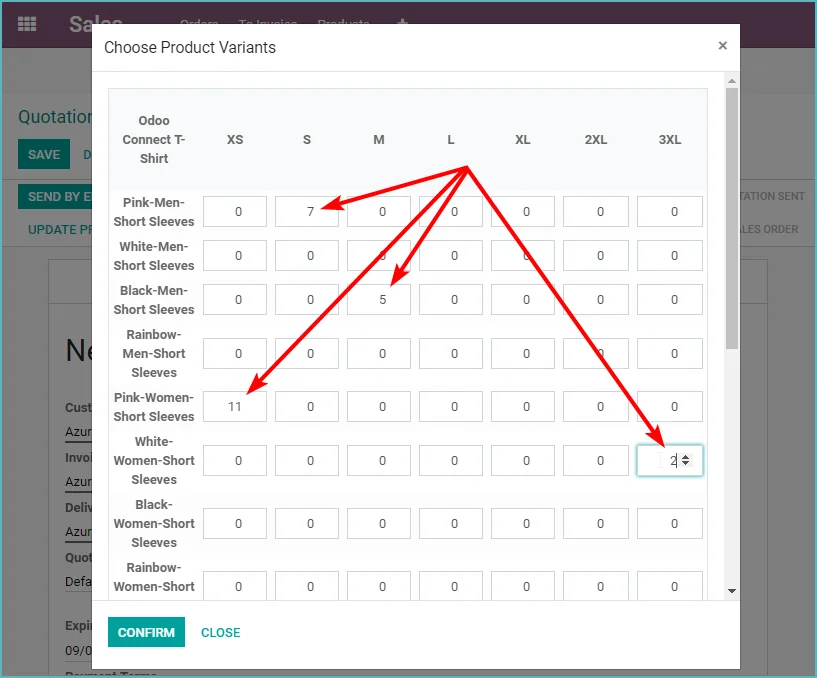
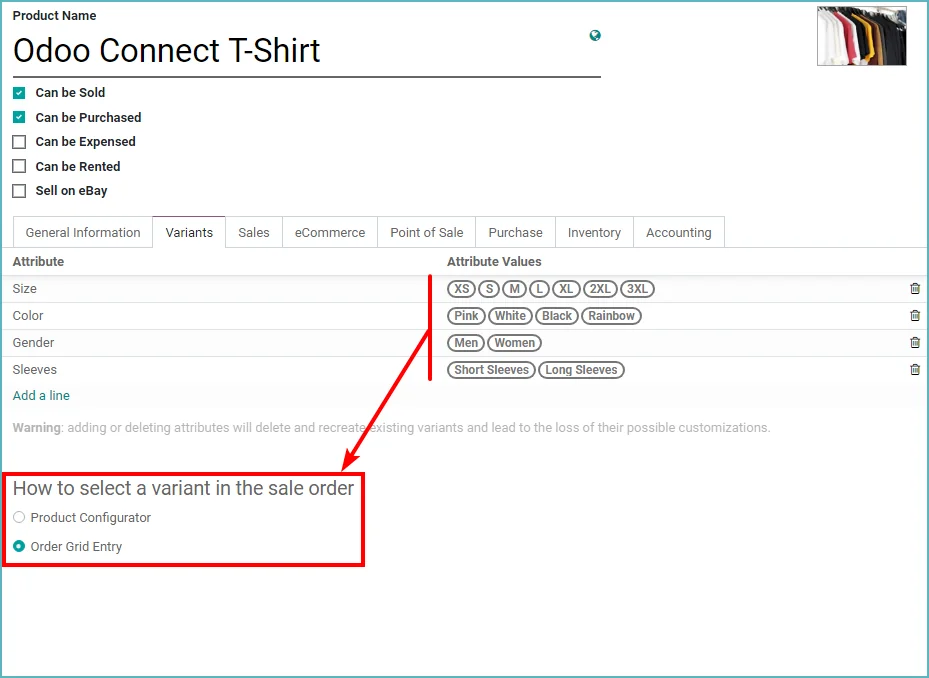
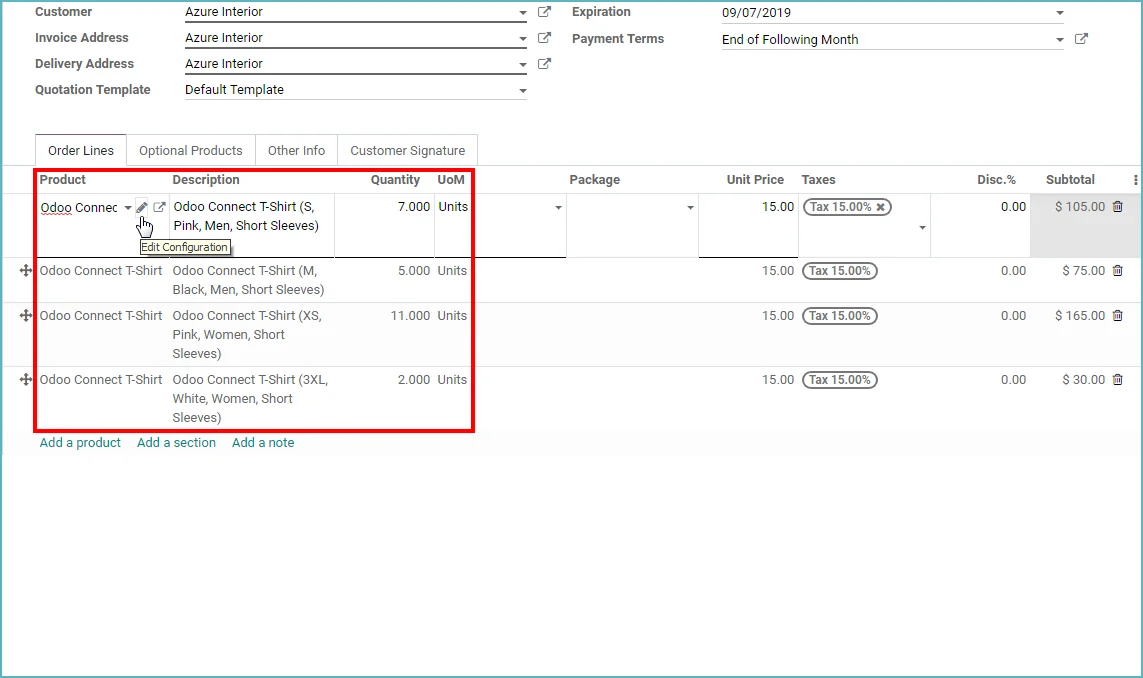
- Matrix view to create / edit sales orders much faster. Typical in the fashion industry and many others
- It is now possible to create coupons for multiple products at once. Previously, this was done per product
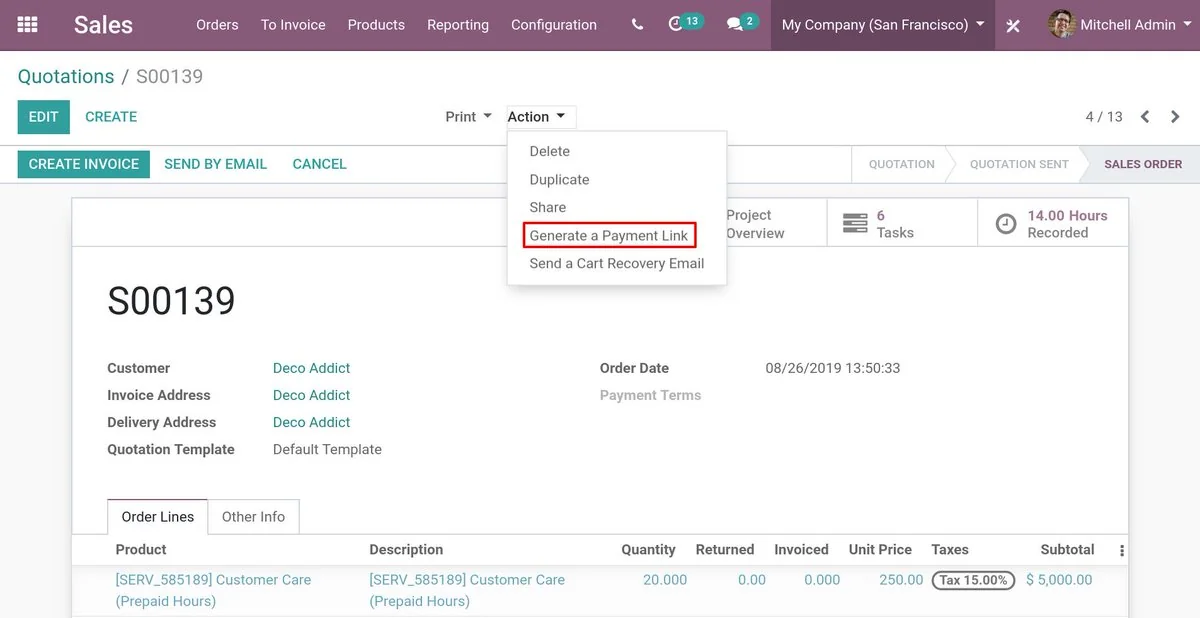
- You can now send a customer a payment request link from a sales order. This way, you can request a down payment without having to confirm the quotation or create an invoice.

Odoo POS Point of Sale
Odoo 13 - What's new in Odoo Point of Sale - POS
- Odoo Point of Sale - POS is now compatible with the Ingenico Lane 5000 payment terminal
- Log in as an employee and no longer as a user. That saves (paid) users
- Restrict the visibility of product categories per point of sale
- Multiple employees can now work on the same restaurant order. The order is synchronized between the point-of-sale terminals
- You can now also email your receipt to the customer, so you no longer have to print it.
- You can now print directly to the Epson ePOS printer, without using an IoT Box.
Odoo Invoicing and Accounting
Odoo 13 - What's new in Odoo Invoicing and Odoo Accounting
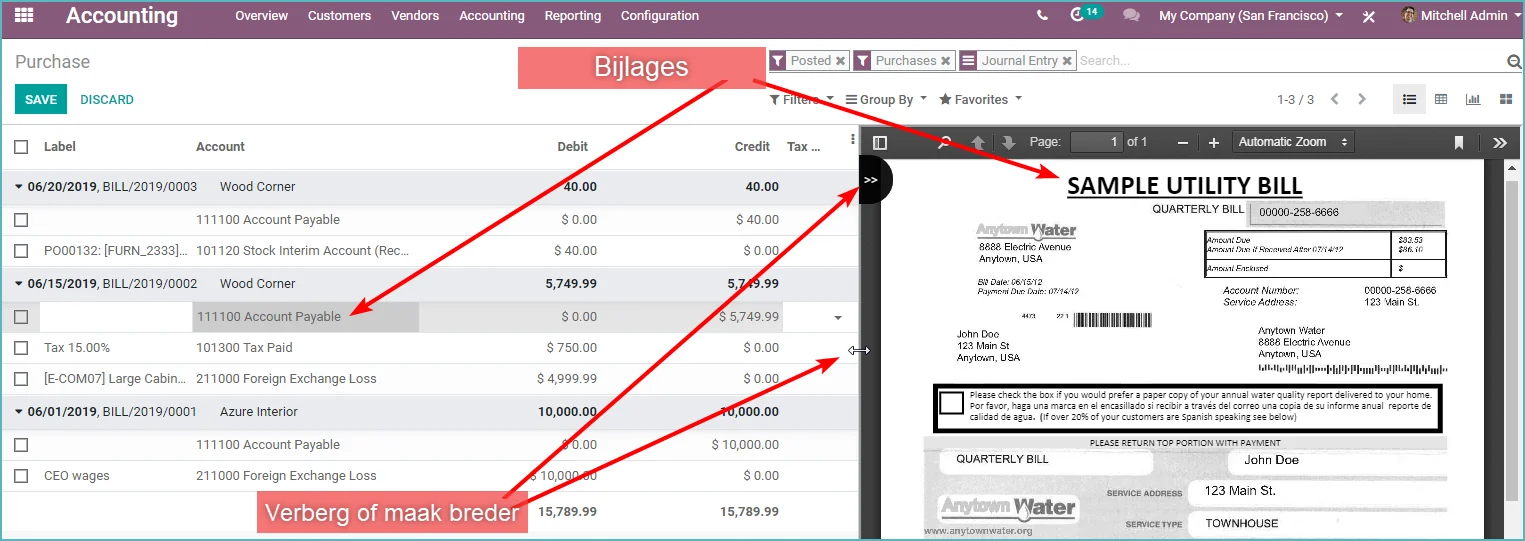
- Technically, the accounting has been completely changed:
- No more duplicate data, so much faster
- Invoices are now journal entries directly, but are posted upon confirmation
- Reporting on unapproved invoices is now also possible
- Invoices not yet approved can be included in budgets
- You can now split a received payment and decide yourself which part is allocated to which invoice.
- You can now also book deferred expenses for prepaid costs (accruals and deferrals).
- You can now set the VAT return period (per month or per quarter)
- You can close the VAT period and transfer the VAT amounts to "VAT payable"
- You can now save the Balance Sheet and Profit & Loss reports as a 'hard copy'
- Configurable which columns you want to see in the invoice lines
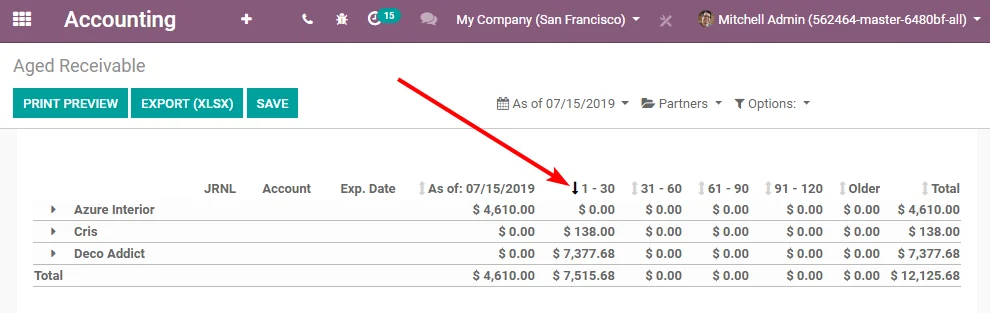
- You can now sort on all columns in the report
- You can now configure which columns you want to see in the journal item lines
- You can now send a payment reminder via SMS
- You can now create recurring periodic entries
- You can transfer a transaction to another period

Odoo Inventory
Odoo 13 - What's new in Odoo Inventory
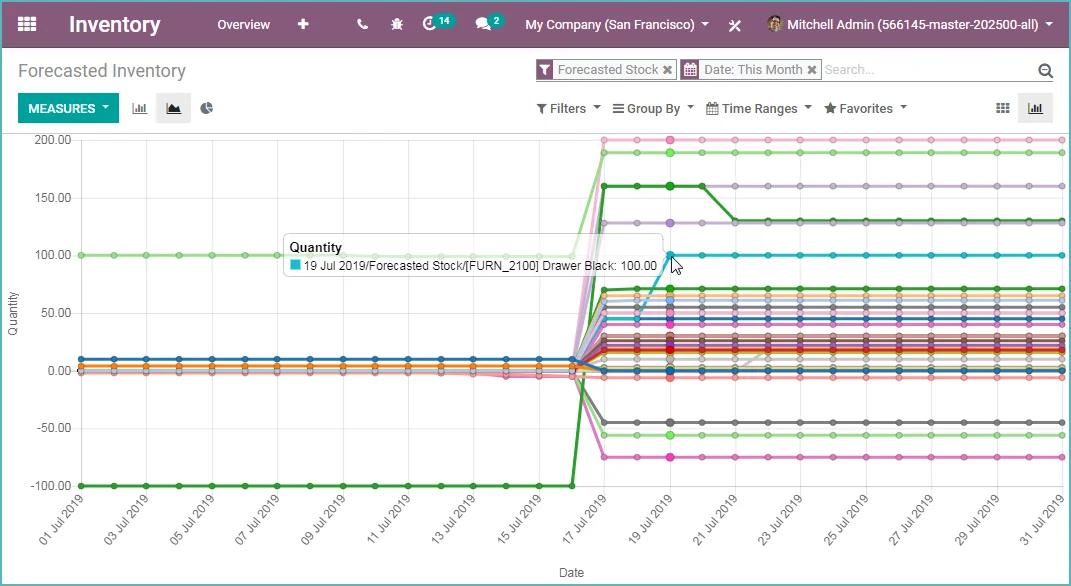
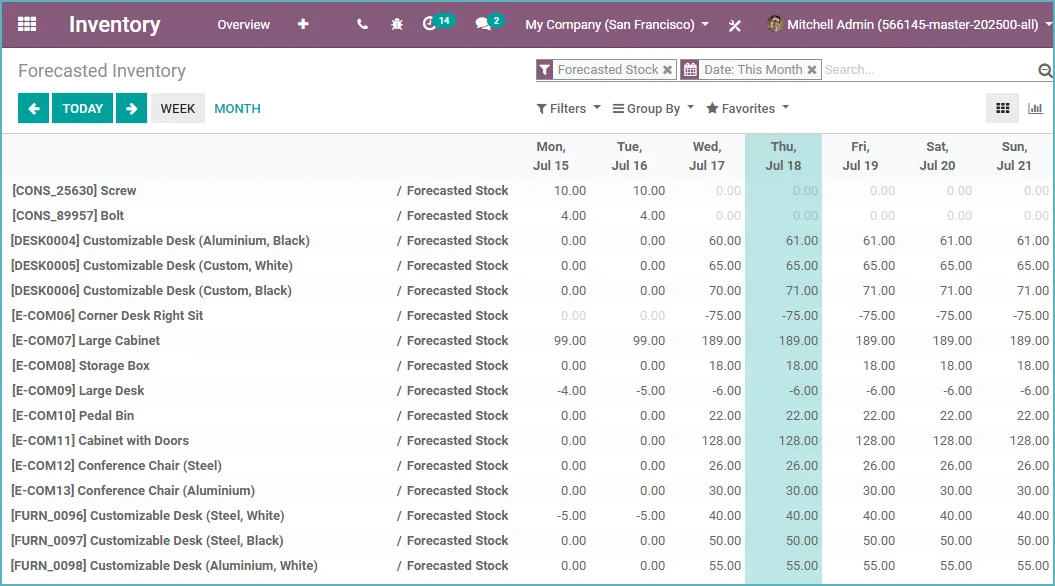
- New sales forecast over time in grid and graph view
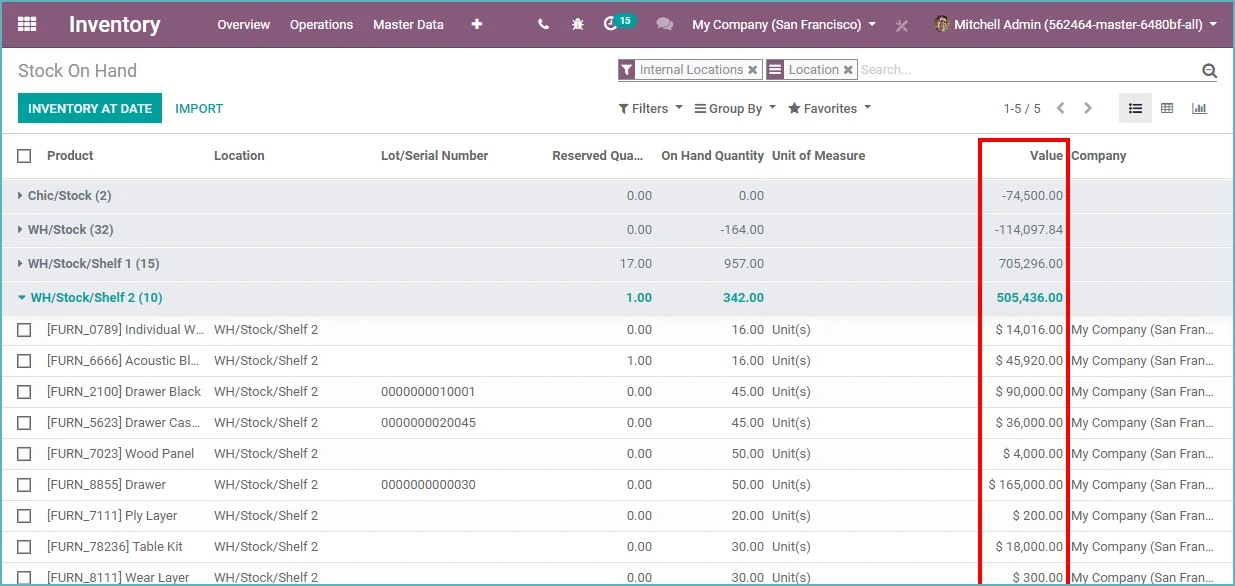
- Inventory valuation report per stock location
- The user can already send a confirmation email when the
- delivery is completed. Now this is also possible via SMS
- On the order line, it is now immediately visible whether the product is in stock or not. If stock is insufficient, Odoo indicates when it will be available.

Odoo Purchase
Odoo 13 - What's new in Odoo Purchase
- You can now add sections and text lines to purchase orders
- Based on the quantity to be ordered, Odoo determines the linked supplier with the lowest price.
- Configurable which columns you want to see in the order lines
- Matrix view to create / edit purchase orders much faster. Typical in the fashion industry and many others.

Odoo Manufacturing - MRP
Odoo 13 - What's new in Odoo Manufacturing MRP
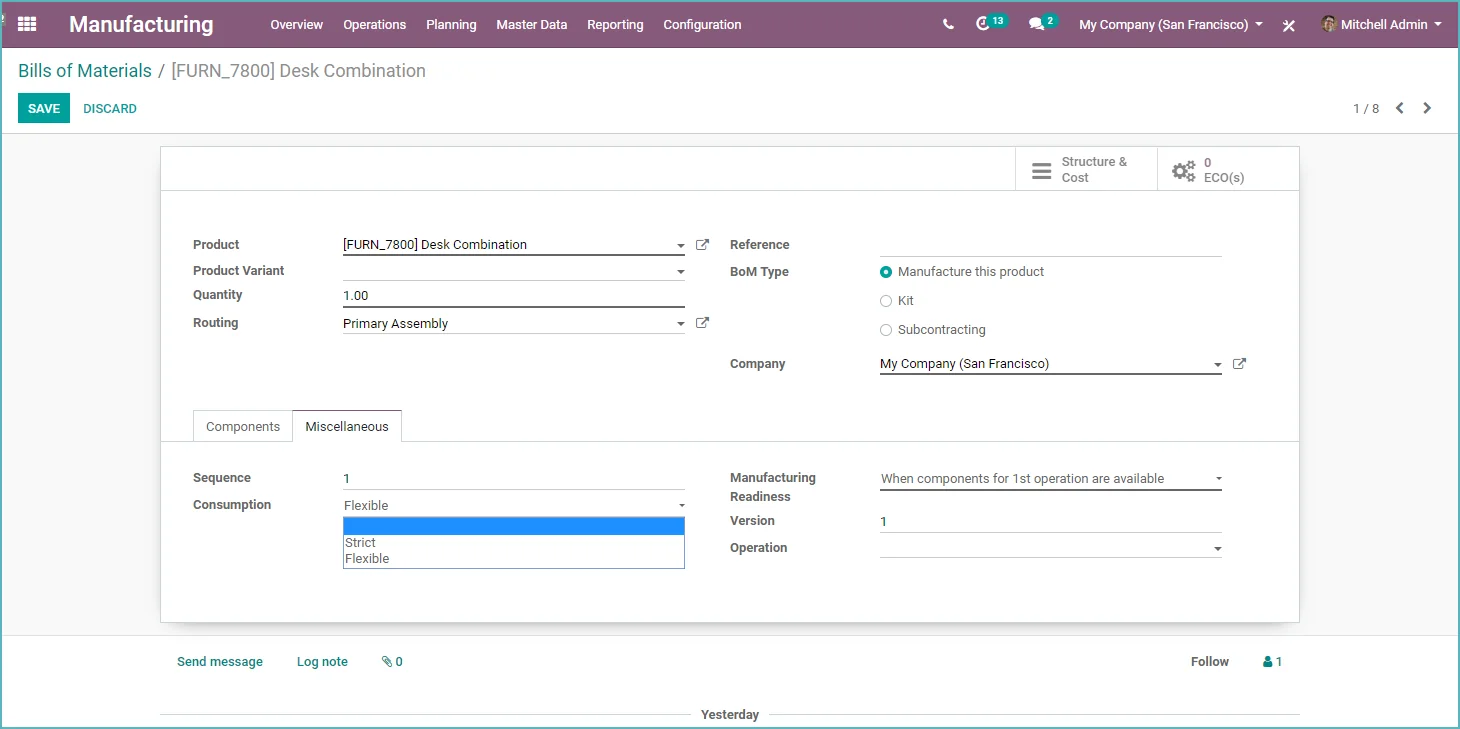
- More flexibility with component consumption. Define on the bill of materials whether you can use more or fewer components than planned (works for manufacturing orders and work orders)
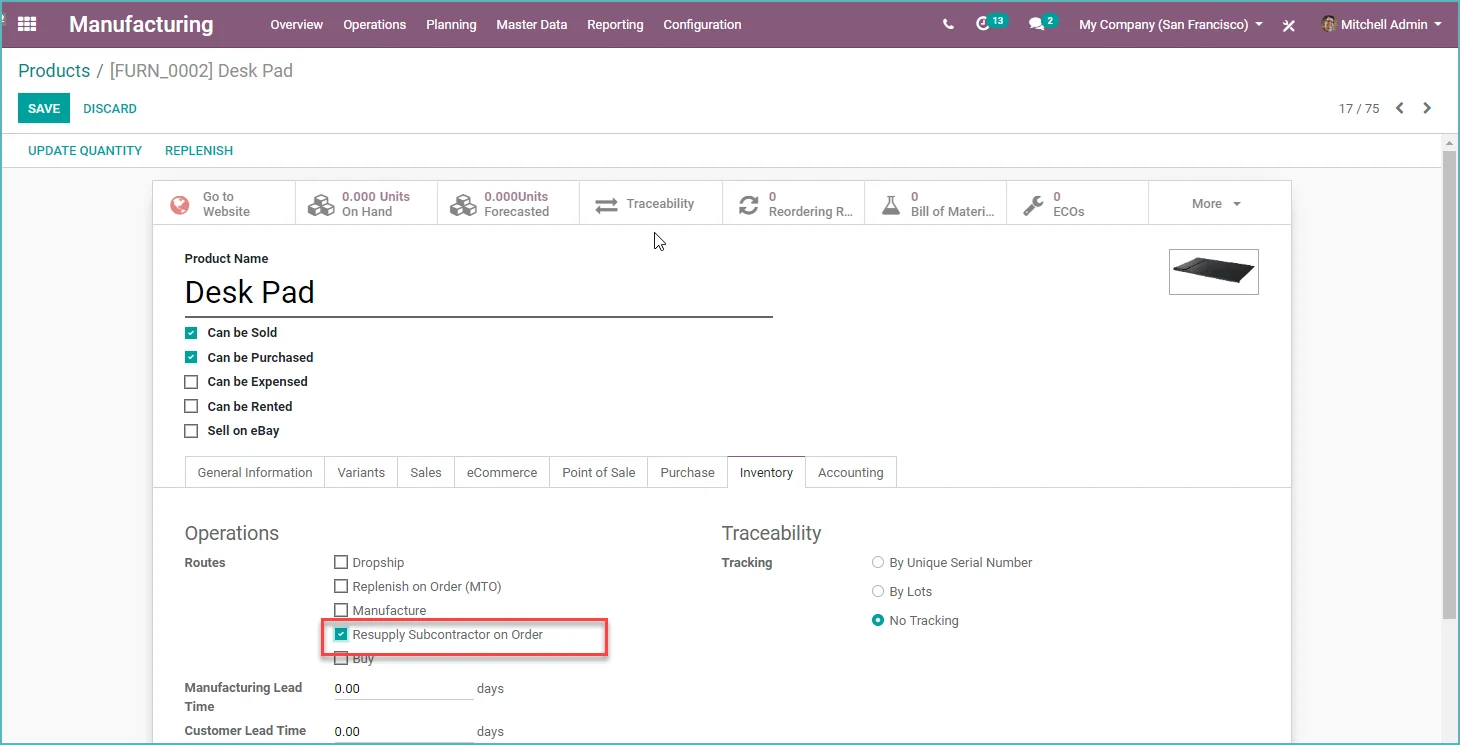
- It is now possible to outsource work and set up a flow for this.
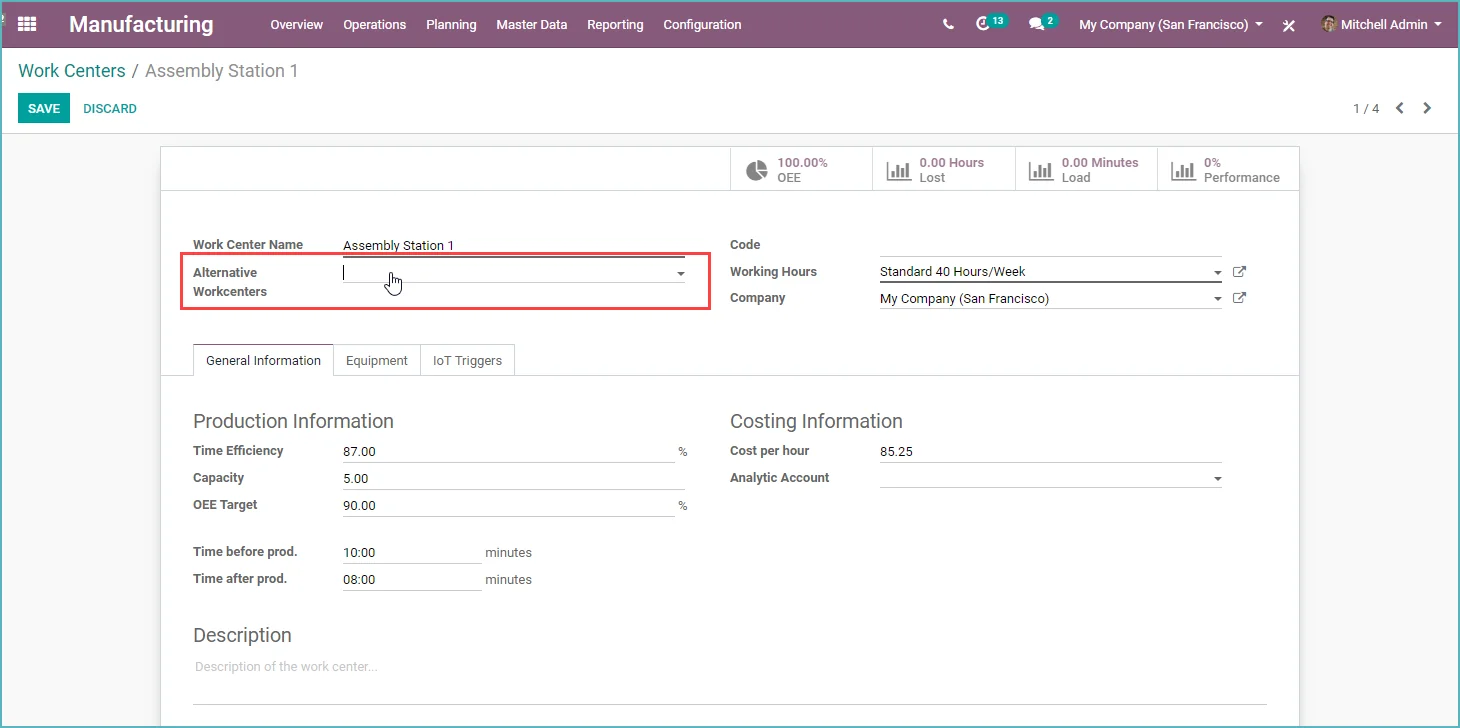
- You can set an alternative work center on the bill of materials
- Sale of 'kits'. Available stock is now based on the availability of the components
- A time timer is now visible on the work order
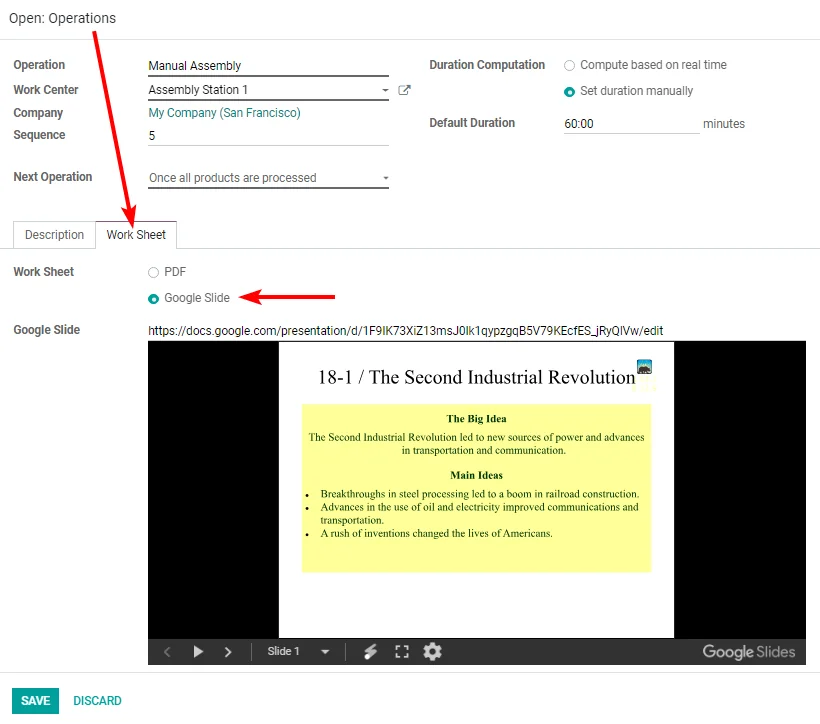
- Add work instructions via Google Slides. No more uploading work instructions

Odoo Projects
Odoo 13 - What's new in Odoo Projects
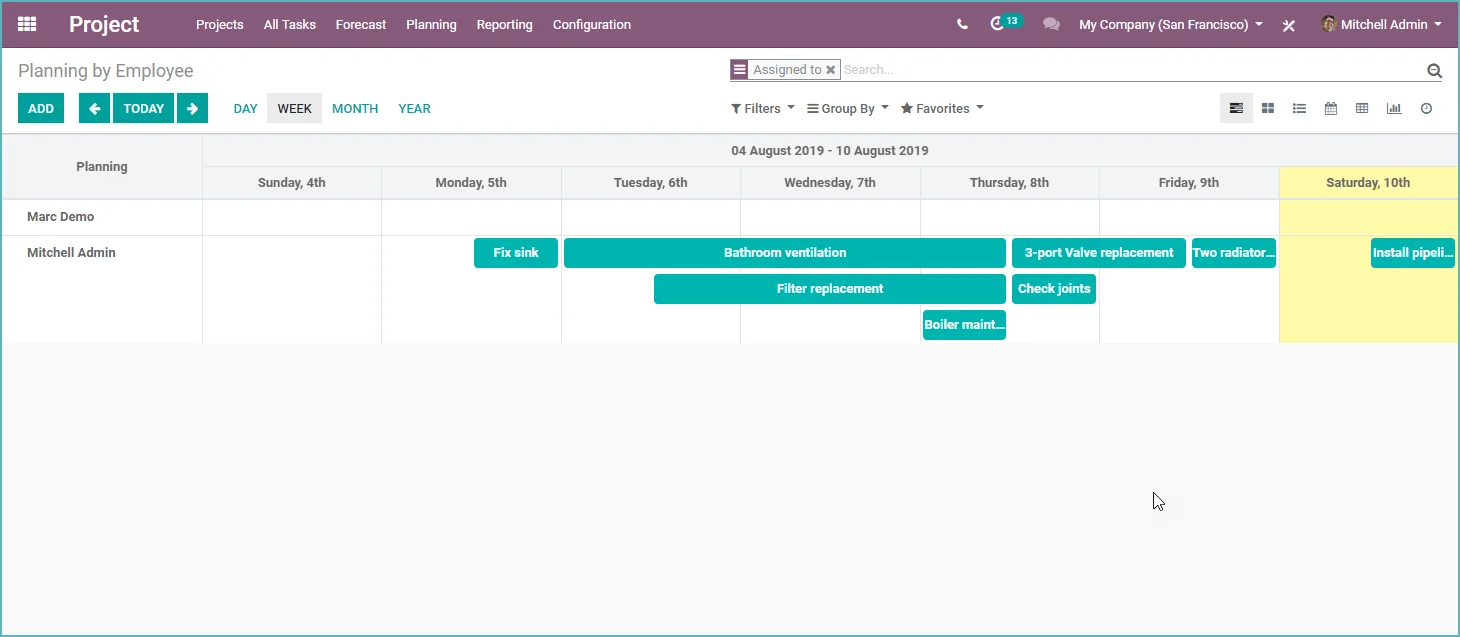
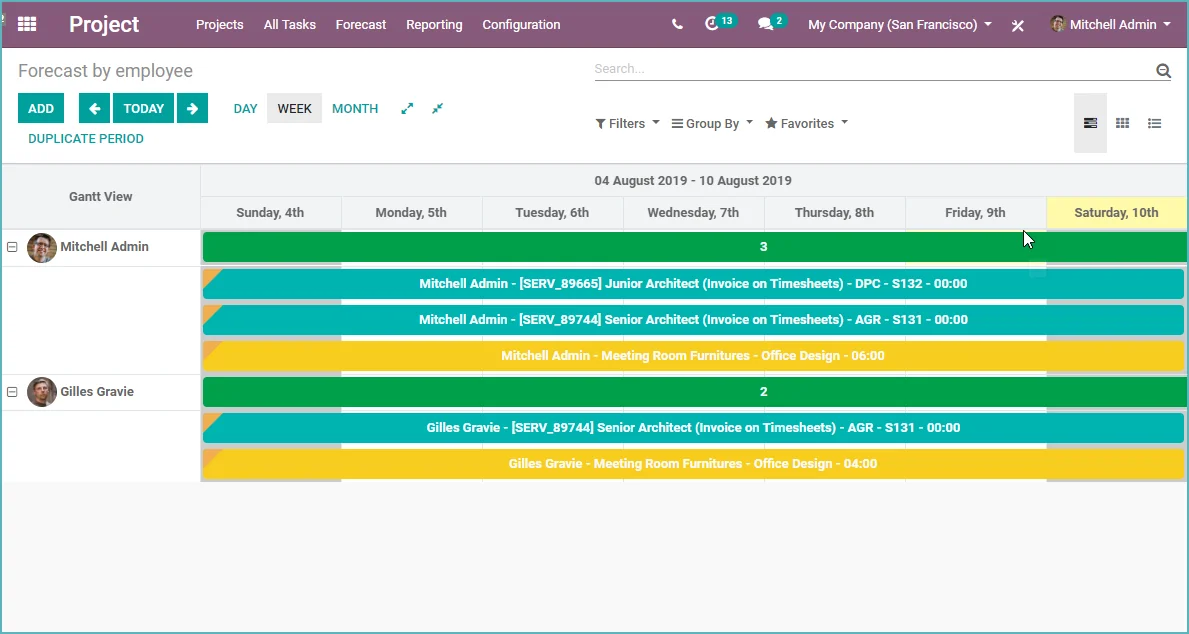
- New project planning in grid and Gantt view
- Start/Stop function for simple time tracking
- Now add a predefined worksheet to your project task
- Improved profitability reporting
- It is possible for the user to select a project
- for an expense claim (previously cost center, and that was too complex). Costs are now visible in the project results.

Odoo Timesheets
Odoo 13 - What's new in Odoo Timesheets
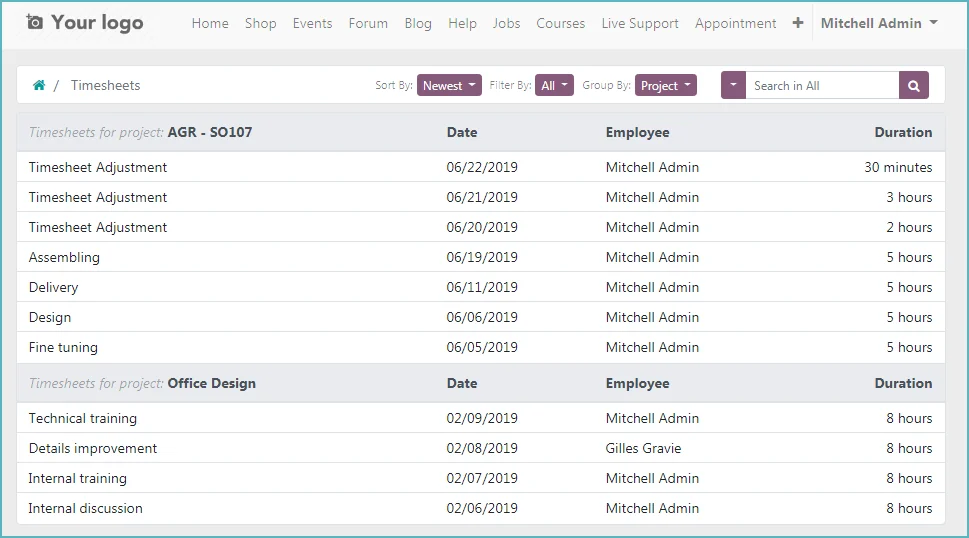
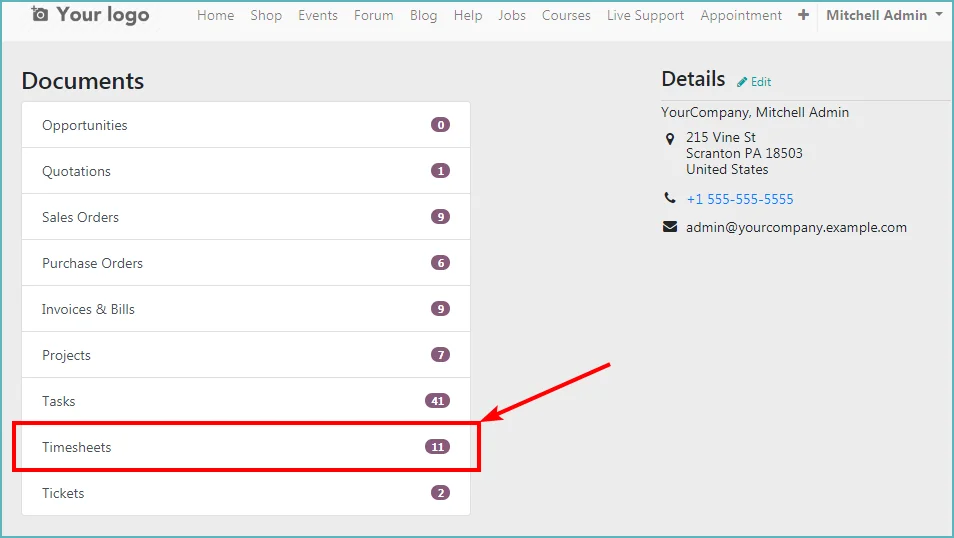
- Timesheets are now available in the portal for the customer
- Start / Stop timer function added to project tasks
- Automatically round your timesheets to, for example, 15 min.
Odoo Helpdesk
Odoo 13 - What's new in Odoo Helpdesk
- The Odoo Helpdesk app has been expanded with extra after-sales functionalities:
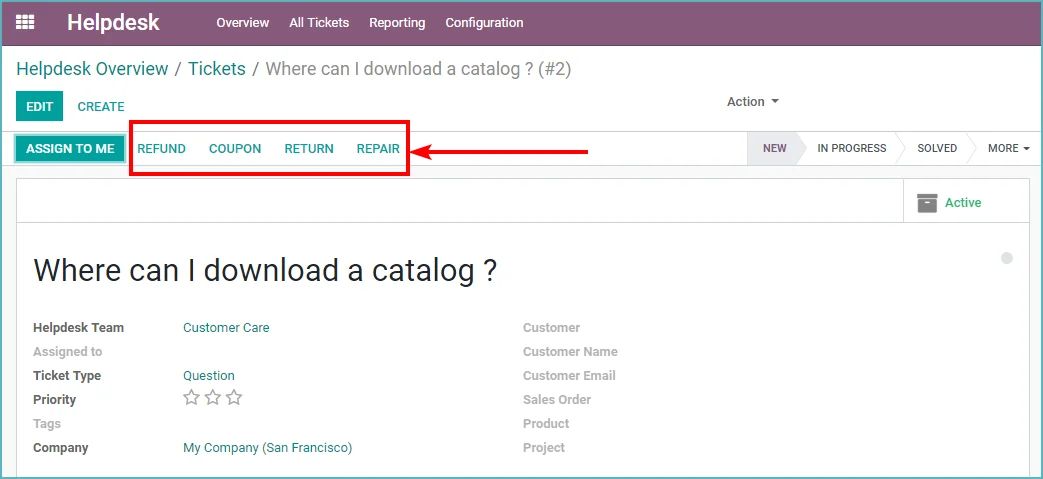
- You can now create a credit note from a helpdesk ticket
- You can now create a repair order from a helpdesk ticket
- You can now create a return delivery from a helpdesk ticket
- You can now create a voucher from a helpdesk ticket
- You can now create a field service task from a helpdesk ticket
- Users can now close their own helpdesk ticket through the portal.
- A ticket can now have multiple SLAs visible on each ticket (still defined on the team) and with a different status.
- A 'failed' ticket is a ticket with at least one failed SLA.
- A failed SLA is when the ticket did not reach the stage within the SLA delay, reached it too late, or did not reach it and the deadline has passed.
- An 'ongoing' SLA is an SLA status that has not been reached before the deadline.

Odoo Time Off
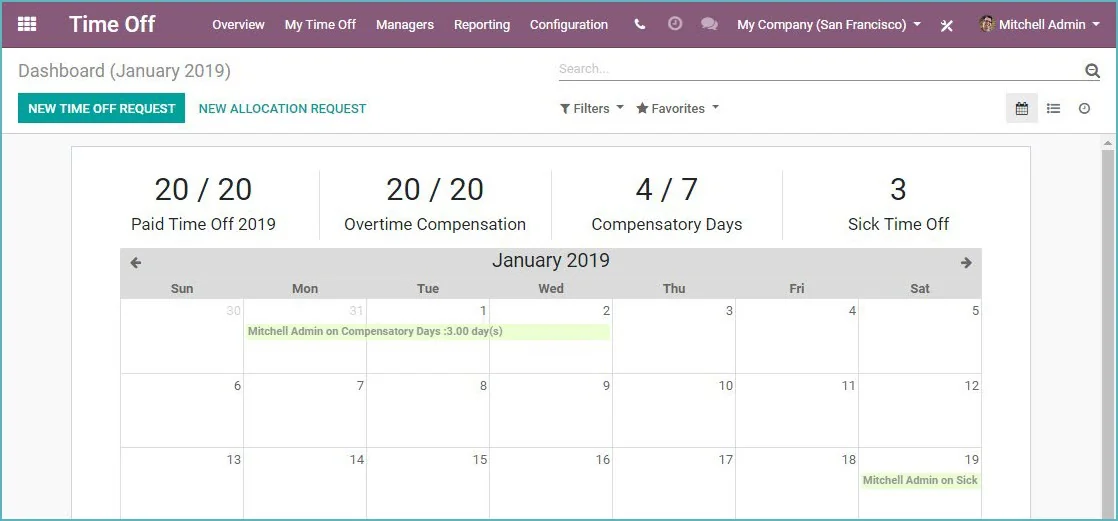
Odoo 13 - What is new in Odoo time off
- For those who work in English. Leave is now Time Off
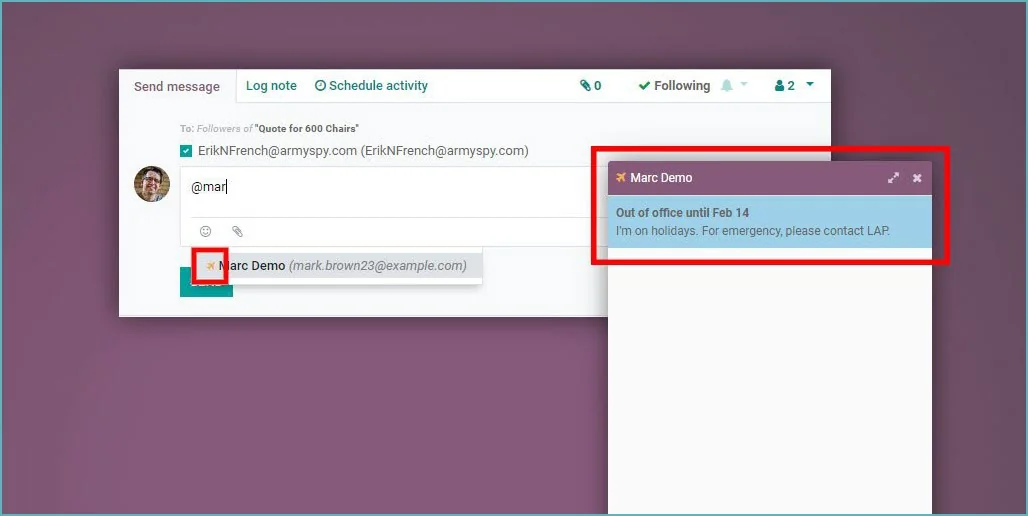
- Out of office message for time off
- New time off dashboard

Odoo website / Odoo E-commerce
Odoo 13 - What is new in Odoo website and Odoo E-commerce (Webshop)
- New way to track website visitors (viewed page, number of visits and more general information about the visitor (country, language, etc..).
- Asynchronous loading of JavaScript (Load your website faster).
- Odoo now adds rel=canonical to pages with duplicate content (for example the same content, but sorted differently) for improved SEO.
- Asynchronously retrieve carrier shipping costs.
- Add an anchor link to your website page
- The options for editing the building blocks have been removed from the page itself and are now in the left menu under a second tab "Customize".
- The forum page has been restyled and now has an image for each forum.
- New upload screen for images. More control over the image name, quality and size.
- Specify which warehouse is available for the stock display on your webshop.
- Let your customer pay faster with the new Buy Now button.
- Change the display order of products in the webshop. It is now easier to move a product to a specific place.
- You can now add an image and/or a video to your product.
- The newsletter pop-up has been improved. It opens after 5 seconds on mobile and on exit on desktop. The pop-up is now also fully customizable.
- You can now select which Google Font you want to use.
- You can now place specific building blocks for each product category of the webshop.
- Approve terms and conditions at checkout.
- You can now sort products by price and by name.
- Improvements in blog SEO. A blog is now of the Open Graph type article.
- Customers can pay with SEPA direct debit. Very convenient for subscriptions. The mandate is sent automatically by email.
- A complete update of the blog pages.
- You can now add a mega menu to your website.
- An overview of recently viewed products.
- Now also add videos as a background.

Odoo Studio
Odoo 13 - What is new in Odoo Studio
- Search on existing fields
- Add a total or average column

Odoo Document Management
Odoo 13 - What is new in Odoo Document Management System (DMS)
- New mobile view.
- You can now add documents via drag & drop.
- A list view has been added.
- An integration with the Recruitment App has been added.
Odoo HRM
Odoo 13 - What is new in Odoo HRM
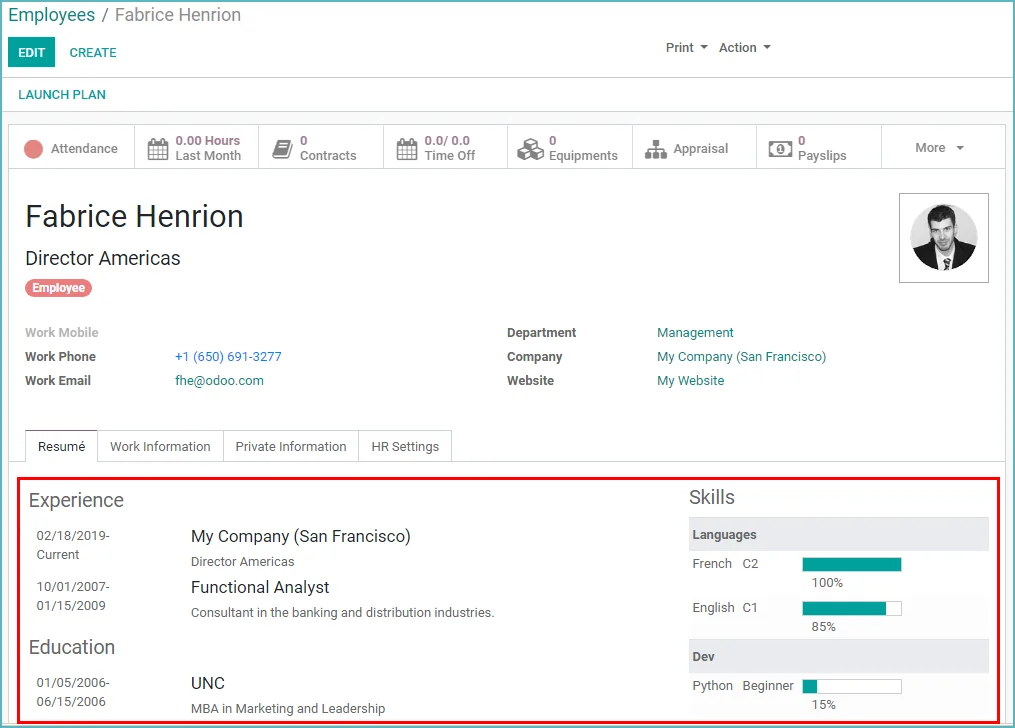
- You can now record experience, education and skills.
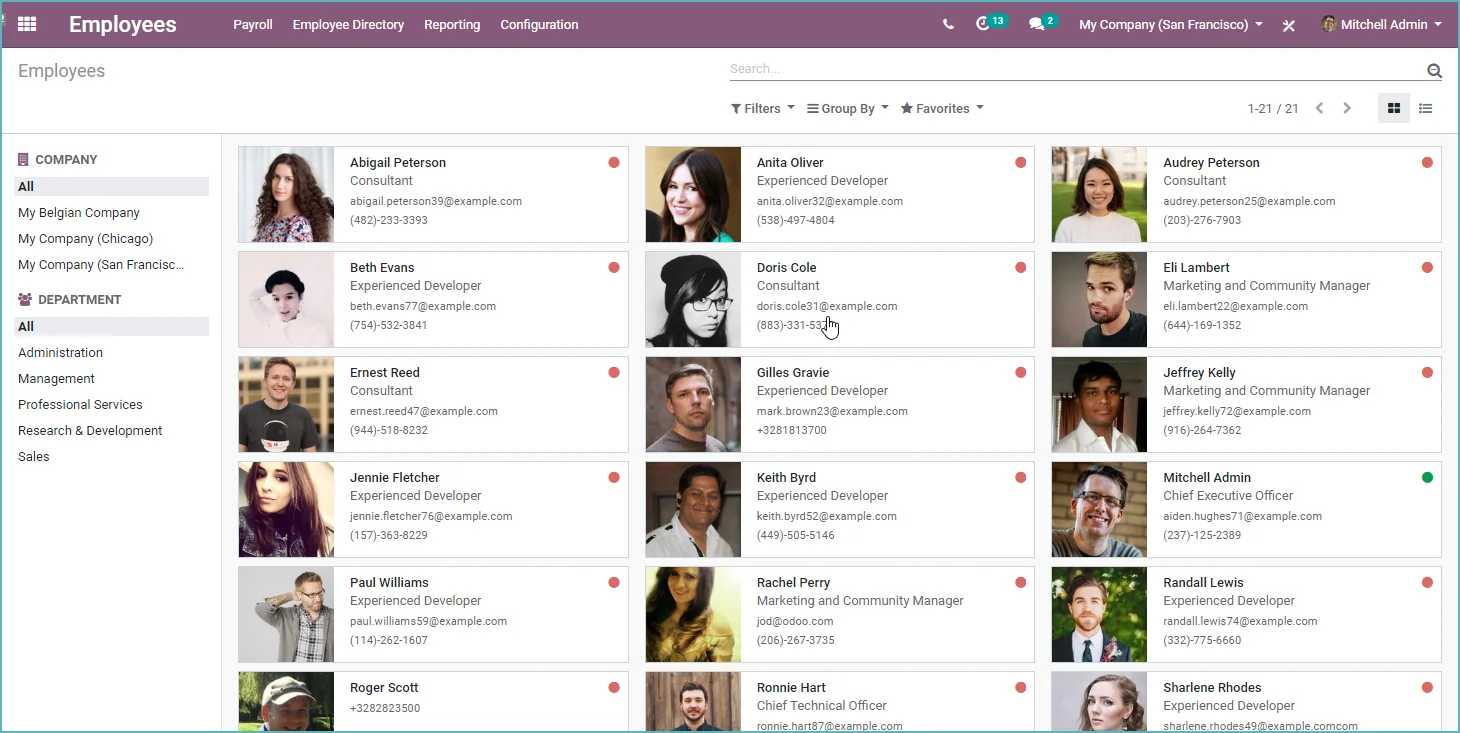
- New employee dashboard with new left panel filters.
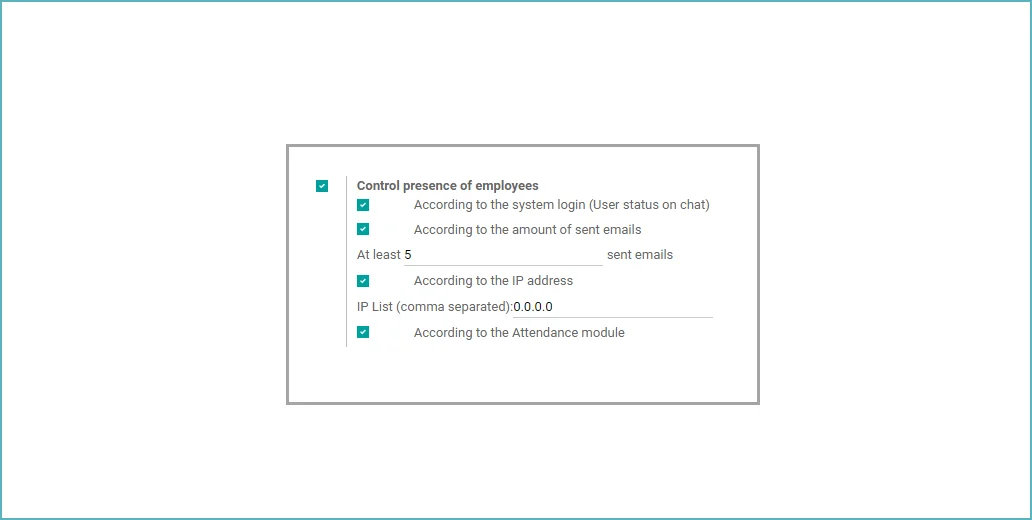
- Automatically detect employee presence based on activity.

And much more in Odoo 13....
Odoo 13 - What else is new in Odoo 13
- A lot of technical improvements to the ORM framework, making Odoo 13 much faster. Some examples;
- Creating contacts: (4x faster)
- - v12: 52.1ms with 70 SQL queries- v13: 13.5ms with 4 SQL queries
- Creating invoice:
- - v12: 117ms, 102 SQL queries- v13: 53ms, 19 SQL queries
- Creating and posting invoice:
- - v12: 210ms, 292 SQL queries- v13: 136ms, 52 SQL queries
- A calculation widget. Calculate a value directly in the input field.
- Import data in batches. No more time-out ;)
- New Gantt view. Much clearer and with drag and drop functionality.
- A map view. If an address is available, you can display it on a map.
- All fields from a list view in Excel with 1 click. Handy!
- Upload attachments in the portal.
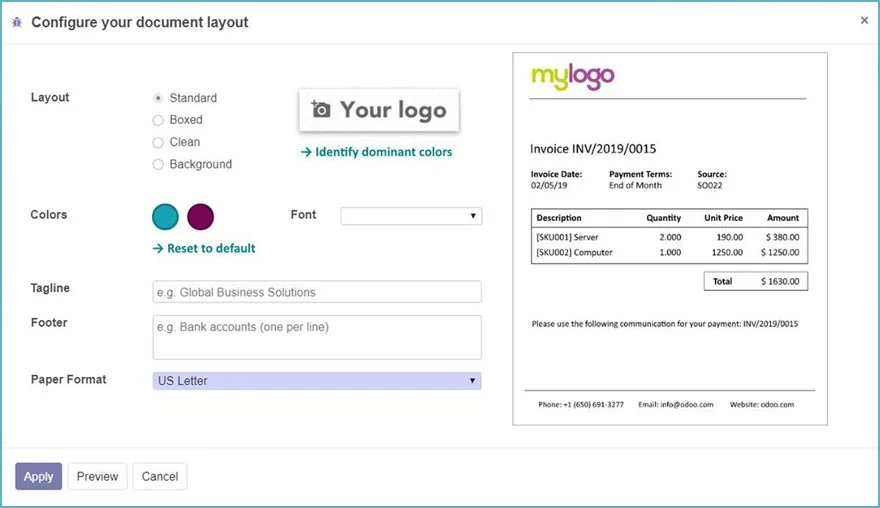
- Give your PDF reports more styling now, by setting color and font.
- Set an 'out of office' message for your time off now.
- Drag and drop files in the Odoo Chatter.
- New activity "Request to upload document". Ask your colleagues to upload a document.
- Debug mode is in the session and no longer in the URL.
- You can now send SMS via various Odoo apps (IAP extra costs).
- See all permissions in detail on the user (developer mode only).
View Odoo 13
What do you think of Odoo 13? Would you like to know more or have a personal demo of Odoo 13. Feel free to send me an email at [email protected].
Click the link for the official Odoo 13 release notes and click the video below to view all the new features of Odoo 13 once again..