Almost every company says the same at the start of an ERP project: we want to work as much as possible with standard solutions and preferably no custom work. That is a wise starting point. Standard Odoo is easier to understand, maintain, and upgrade.
Yet almost every company ultimately needs some adjustment, integration, or specific workflow. That is not strange. An ERP system cannot fully support every business process in a completely standard way. If software were to contain a standard solution for every exceptional working method, the system would become far too complex.
The correct conclusion is therefore not that custom work is bad. The better conclusion is: use standard Odoo where possible and specifically choose custom work where it is necessary for business.
Standard is the starting point, not the endpoint
For smaller companies, a standard ERP system can often work just fine. The processes are clearer, the number of exceptions is usually smaller, and many tasks align with the processes that are standard in Odoo.
Odoo consists of many separate apps that work together. Sales, CRM, inventory, purchasing, accounting, production, and projects use the same data. This makes it possible to support many processes with standard functionality. On the page Odoo apps for your business processes you can see how important the combination of apps and processes is.
But standard does not mean that every company has to work the same way. It mainly means that you start with what is already available before you have something built.
Moreover, there are several options between standard Odoo and full software development. You can set up a process differently, adjust settings, use an extra app, build a connection, or automate a workflow. Only when those options do not work well enough does customization come into play.
That distinction is important. A differing wish is not automatically a reason to start developing. Sometimes an organization asks for customization because employees have become accustomed to an old way of working. Then the first question is not how to replicate that way of working in Odoo, but why the company works that way.
Odoo standard or customization?
There is a myth that an ERP system must be able to do everything as standard. That sounds appealing, but it is not realistic. No ERP system can fully support every type of company, every market, and every exceptional way of working without extra choices or adjustments.
A standard ERP package is actually useful because it provides a broad foundation. That foundation includes processes that occur in many organizations. Think of quotes, sales orders, purchases, inventory changes, invoices, payments, and reports.
Successful companies often have something unique. This can be a special way of purchasing, a specific service promise, a proprietary logistics process, or a product that is assembled differently than is customary in the market. That unique part can be important for the business model. Therefore, it is not always wise to fully adapt the company to the software.
The size of a company does play a role, but it does not determine everything. Larger companies often have more locations, countries, currencies, roles, and exceptions. As a result, deviant processes come to light more quickly. However, a smaller company can just as well have a process that does not fit into a standard workflow.
The core question is therefore not: are we big enough for customization? The core question is: does this method relate to the way we deliver value, make money, or maintain control?
Example 1: multiple cash currencies at a register
We supported a large international retail chain in processing payments with multiple cash currencies at a register. The stores accepted the local currency and USD.
At first glance, this sounds like an additional currency setting. In practice, it is much more. The register needs to know which currency a customer is paying with, how the change is calculated, and how the cash is checked at the end of the day. The reporting and the connection with the administration must also be correct.
A standard cash process often assumes a relatively simple situation. The customer pays in the currency in which the store operates, and the cash is closed according to that same logic. Once multiple cash currencies are accepted simultaneously, additional rules and control moments arise.
In this situation, the question was not whether someone could add an extra field to the cash register screen. The question was how the retail chain could reliably work with different currencies without employees having to perform various calculations or corrections themselves.
Custom solutions can be justified here. Not because the employees prefer a different screen, but because the business process itself is organized differently. The solution must support daily practice while maintaining control over cash flows.
Example 2: electronics with grading
For another client, we built a process for purchasing batches of electronics. The client purchases a batch, receives it in the warehouse, and then divides the products into different grades.
The batch does not come in as a completely equivalent stock. After receipt, it is determined which products are in which condition. This grading affects how the products are stored, priced, and sold.
A standard receiving process can adequately register that a batch has arrived. However, the specific step afterward, in which individual products from a batch receive different grades and continue as different sellable stock, requires a different process logic.
Here too, it is not about an arbitrary preference of a user. The grading determines the commercial value of the products. The process is part of the company's business model.
You can try to circumvent such a method with separate spreadsheets, manual checks, or extra administrative steps. But then you often move the problem to another place. The stock in Odoo no longer aligns with reality, employees enter data twice, and the chance of errors increases.
In these kinds of situations, ERP customization can actually help to reliably document the distinctive process. The condition is that it is clear why the process exists and what value the adjustment provides.
The question behind the question: why do we work this way?
Before you have customization built in Odoo, you need to examine your own process. Not every deviation is unique. Some methods have developed over time due to old software, internal agreements, or a temporary solution that was never adjusted again.
So first ask:
Why do we work this way?
What value does this method provide?
Is the process really distinctive or mainly historically grown?
Can we achieve the same goal with a different method?
What happens if we adjust the process to standard Odoo?
The latter is not an attack on the organization. An ERP implementation is actually a good time to reassess old habits. It may turn out that a different method is simpler, faster, or better controllable.
On our Odoo project approach the technology is therefore not the first step, but understanding processes, people, data, and goals. That is also the correct order when assessing customization.
So the question is not only: can we build this? The better question is: does this help us work better?
When does customization deserve a place?
Customization is justified when standard Odoo, configuration, another app, or a modified method does not adequately solve the business problem.
That may be the case when:
the process is directly related to the way the company makes money;
the method supports a clear competitive advantage;
standard working leads to a lot of manual work or extra errors;
loose systems and spreadsheets reduce control;
the process is so important that a workaround poses more risk than customization;
the solution remains small, clear, and easy to test.
The first reaction to customization is often: it must yield more than it costs. That is a good rule, but not every value is directly visible in a spreadsheet. Sometimes customization prevents errors, discussions, or loss of revenue. Sometimes it makes a business process scalable that would otherwise remain dependent on a few experienced employees.
Therefore, you should not only look at the development costs. Compare the investment with all realistic alternatives. What does it cost to perform the process manually for years? What does it cost to work with multiple loose systems? What does it cost if employees do not have a reliable inventory or cash overview?
Customization is therefore not a goal in itself. It is a means to properly support an important process.
Customization is a product, not a one-time wish
A common mistake is that customization is only discussed as part of the implementation. An amount is agreed upon for building the solution, and then everyone moves on to the next component.
But customization remains part of your ERP system. It must be explained, tested, supported, and sometimes adjusted. New employees need to understand what the solution does. Key users need to know which steps they need to test. The supplier must be able to trace why the logic was ever built.
Therefore, make agreements in advance about:
the acquisition and development costs;
the scope of the solution;
support after going live;
maintenance and bug fixes;
documentation and ownership;
testing with changes;
future Odoo upgrades;
the costs when the process or software changes.
That may sound extensive for a small adjustment. However, that clarity prevents discussions later on. If nothing has been agreed upon, it often only becomes clear who is responsible at the first error or upgrade.
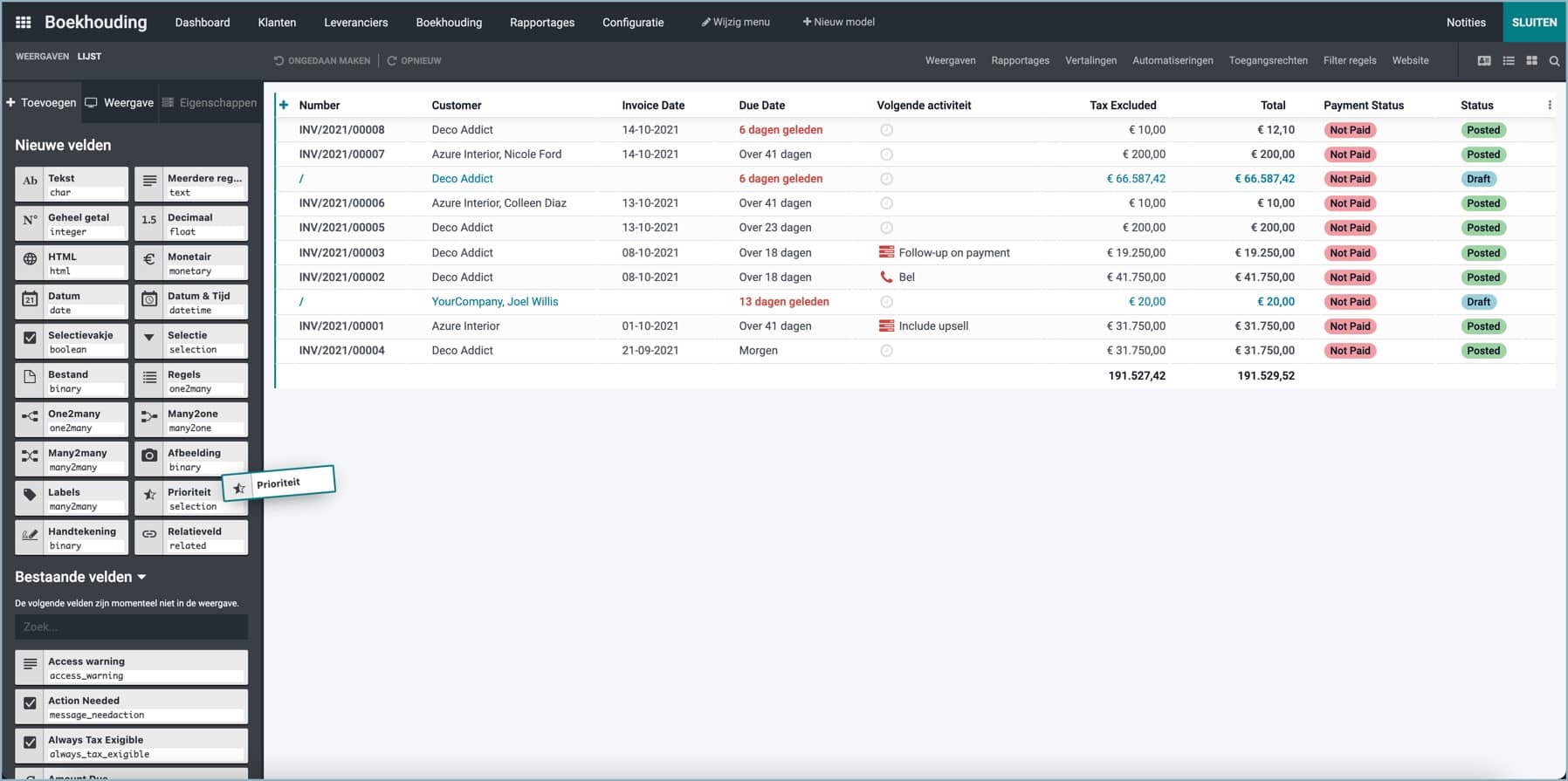
The choice for Odoo Studio also deserves attention. Odoo Studio can be useful for certain adjustments to fields, screens, reports, and workflows. However, it is not a replacement for good process design. A quick adjustment can later become part of a complicated environment that no one understands well anymore.
Also read Why Odoo Studio is not the holy grail. The main lesson is not that you should never use Studio, but that you must consciously choose how to manage an adjustment.
Maintaining Odoo customizations is part of the choice
Those who choose customization must think about the future from the start. Odoo continues to develop. Functionality changes, screens are adjusted, and processes gain new possibilities. A custom solution that works well today must be retested with the next version.
That does not mean you should remove every custom piece immediately. An upgrade is a good time to reassess whether the customization is still necessary. Perhaps the new standard functionality now supports part of the process. Then you can simplify or completely replace the custom solution.
Other custom solutions remain necessary because they are linked to a specific business model. Then the code must be adapted to the new version and the key scenarios must be retested.
On Odoo upgrades with less risk you can see why an upgrade is not just a technical conversion. Custom code, integrations, data, and user processes are all part of the preparation.
Therefore, do not plan maintenance only when an upgrade becomes urgent. Agree at the time of purchase how future upgrades will be handled and what costs are associated with them. This way, those costs become predictable instead of an unexpected bill later.
What should management do?
A supplier can almost always build something technically. That does not mean it is the best business decision. Therefore, management must provide direction for the consideration.
Start with your own process. Is this method so unique that customization is justified? Or is another way of working just as good or perhaps better?
Then ask for a comparison of the options:
What can standard Odoo do?
What configuration or extra app is possible?
Can the process be adjusted?
Is a connection better than a change in Odoo?
What does customization cost at purchase, maintenance, and upgrades?
Who remains responsible for support?
The main question remains: why do we work this way and why does the software behave differently?
Sometimes that question shows that an organization has unnecessarily protected an old habit. Then standard Odoo is probably the better choice. Sometimes it turns out that the differing method actually touches the core of the business. Then custom solutions can be the right decision.
Conclusion: no one wants unnecessary customization.
The original title therefore remains: customization, no one wants it, but almost everyone has it.
That is not a contradiction that you need to resolve by declaring standard or customization as the winner. It is a realistic description of ERP projects. You start with standard Odoo because it leverages simplicity, support, and development of the platform. You choose customization when an important business process is not adequately supported otherwise.
Customization is not bad. Unmanaged customization is a problem.
The best solution is an adjustment that has a clear business reason, remains small enough to understand, and is included from the beginning in support, maintenance, and upgrades. Then Odoo adapts where necessary, without losing the benefits of standard software.
That is ultimately the right balance: standard where possible, customization where necessary.