Efficiency in every space: Manage your meeting rooms with Odoo 17
In the business world, time is money, and effectively managing your meeting rooms can mean the difference between a productive day and a day full of lost opportunities. With the introduction of the module 'Room Management' in Odoo 17, organizations can now manage their meeting rooms with unprecedented efficiency.
Behind the scenes: Powerful and intuitive
The 'Rooms' module in the backend of Odoo 17 is specifically designed for extensive management capabilities. When you create a room, you can enter important details, such as the room name, available amenities, and links to a specific company or office. Each room has its own URL for access via the frontend, and room managers can customize this URL, including a unique access code.
The visual representation of the rooms is enhanced with images and customizable colors for the website. And with both kanban and list views, room management offers a smooth and clear experience, including direct insights into room availability.
Book and schedule with ease
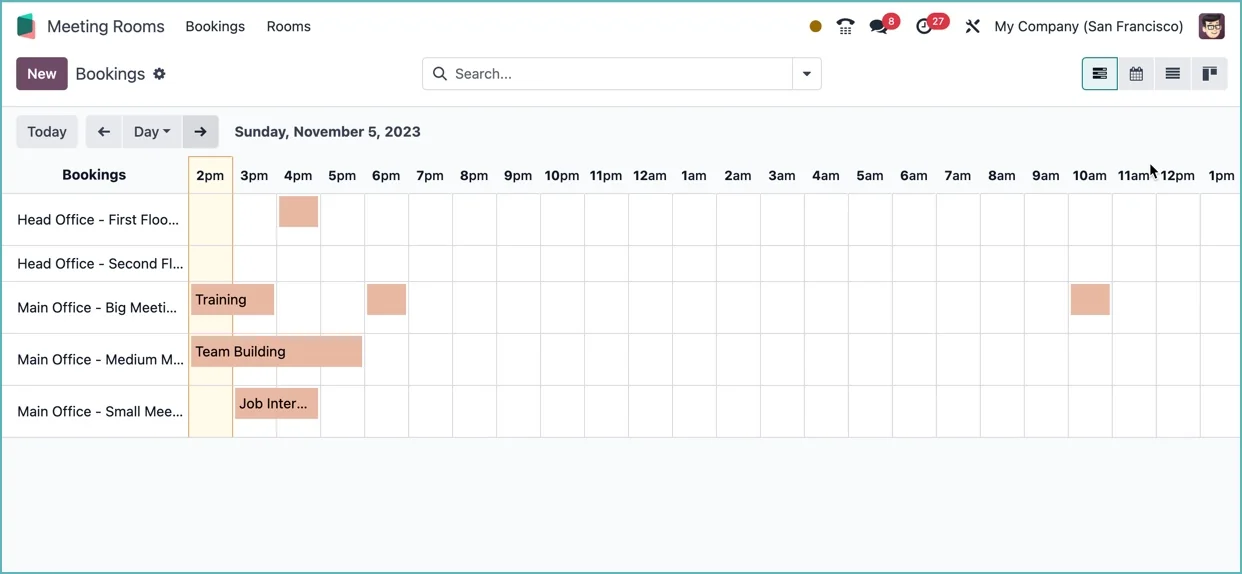
Scheduling meetings is just as seamless, with different views such as Gantt, kanban, calendar, and list to maximize efficiency. Whether you are planning, updating, or canceling a meeting, the module provides a clear overview and easy editing options.
A standout feature is the chatter within the meeting form. This not only provides transparency, but also creates an audit trail for meeting activities.
The Front Door: Always up to date
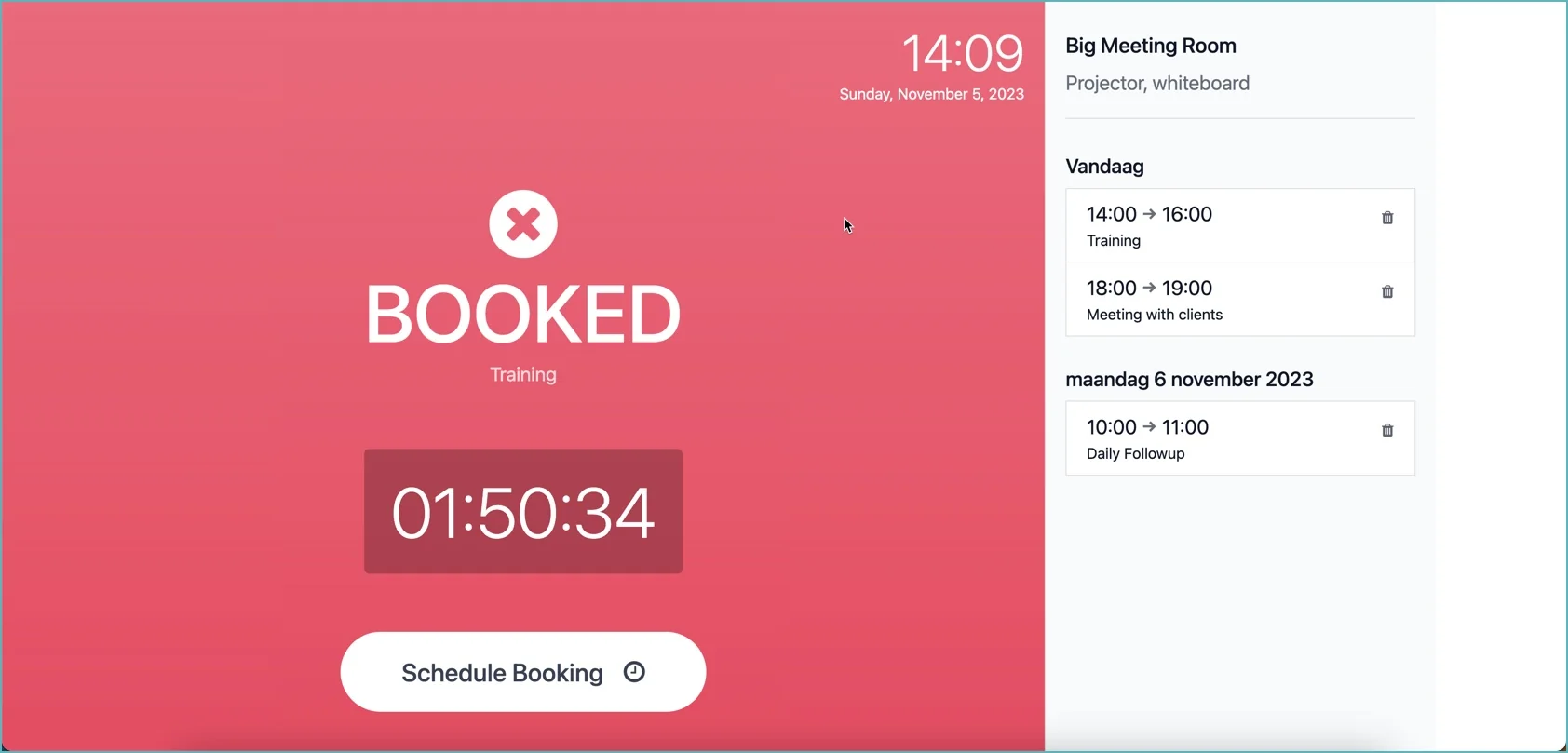
The frontend is specifically designed to run on a static device such as a tablet, placed by the relevant room. At a glance, you can see the current status and availability of the room, including the remaining time of the ongoing meeting and a sidebar with all upcoming meetings.
Schedule meetings quickly
Booking a room for the next 15, 30, or 60 minutes is a breeze, perfect for those last-minute meetings. And planning ahead? That is just as easy, with options to select the desired date and duration.
Flexibility for changes
Sometimes things do not go as planned. In Odoo 17, users can easily edit or delete meetings by clicking on the booking in the sidebar. With just a few clicks, you can adjust the start and end times, or remove a scheduled meeting entirely.
The 'Room Management' module in Odoo 17 promises a revolution in the use of meeting rooms. It not only makes efficient room management possible, but also enjoyable. Are you ready to regain control of your meeting rooms? With Odoo 17, it is easier than ever.