Odoo Project Management
The Project Management app has been extensively revamped in Odoo 15. Many improvements and new features have been added. Integration with the Planning app has also been significantly improved, and you now have all the tools you need to manage your projects.
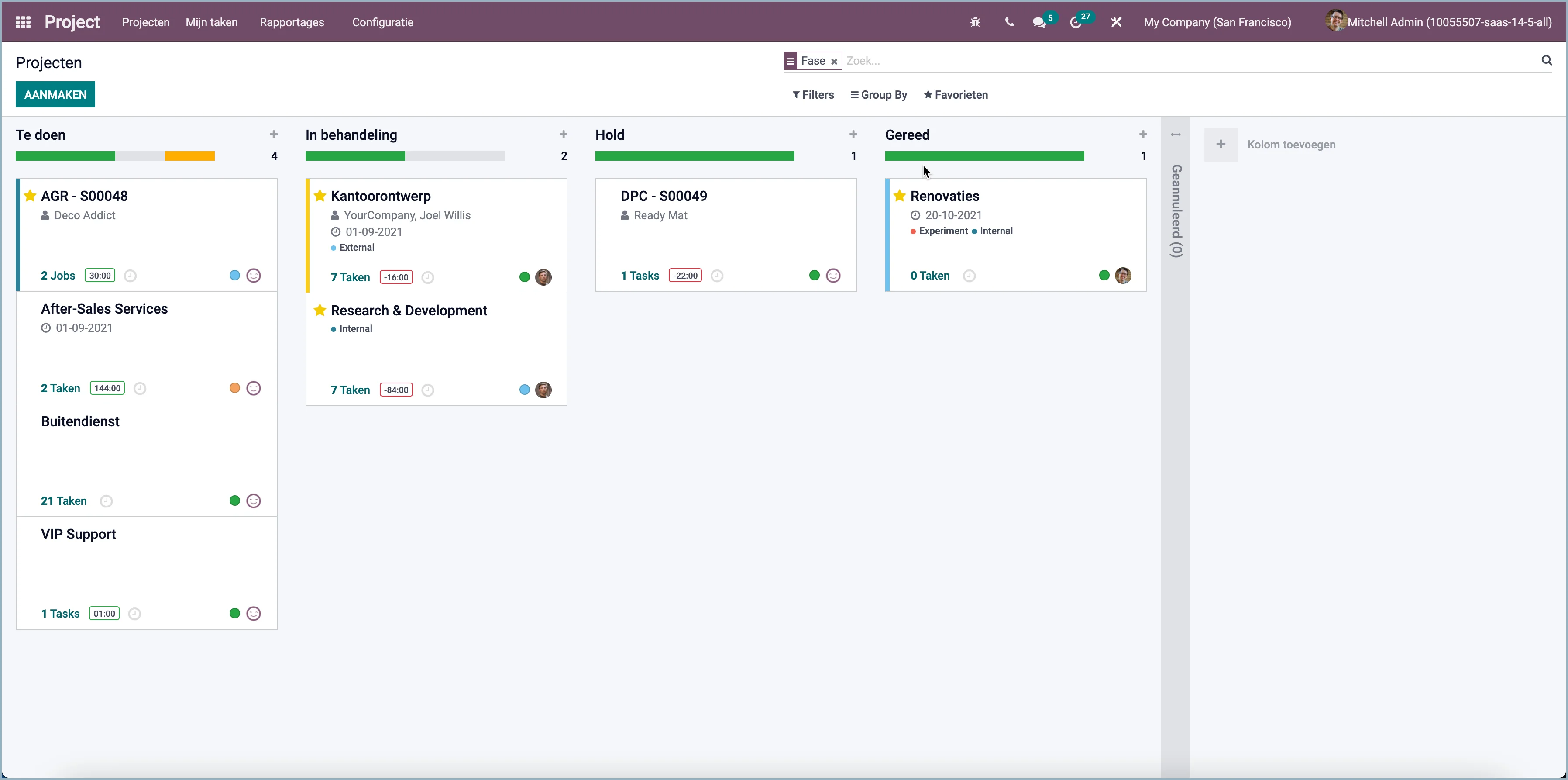
Project status
You can now also set the status of a project by creating project stages.
Email plugin
Odoo has a new Outlook email plugin that lets you create a task directly from your email.
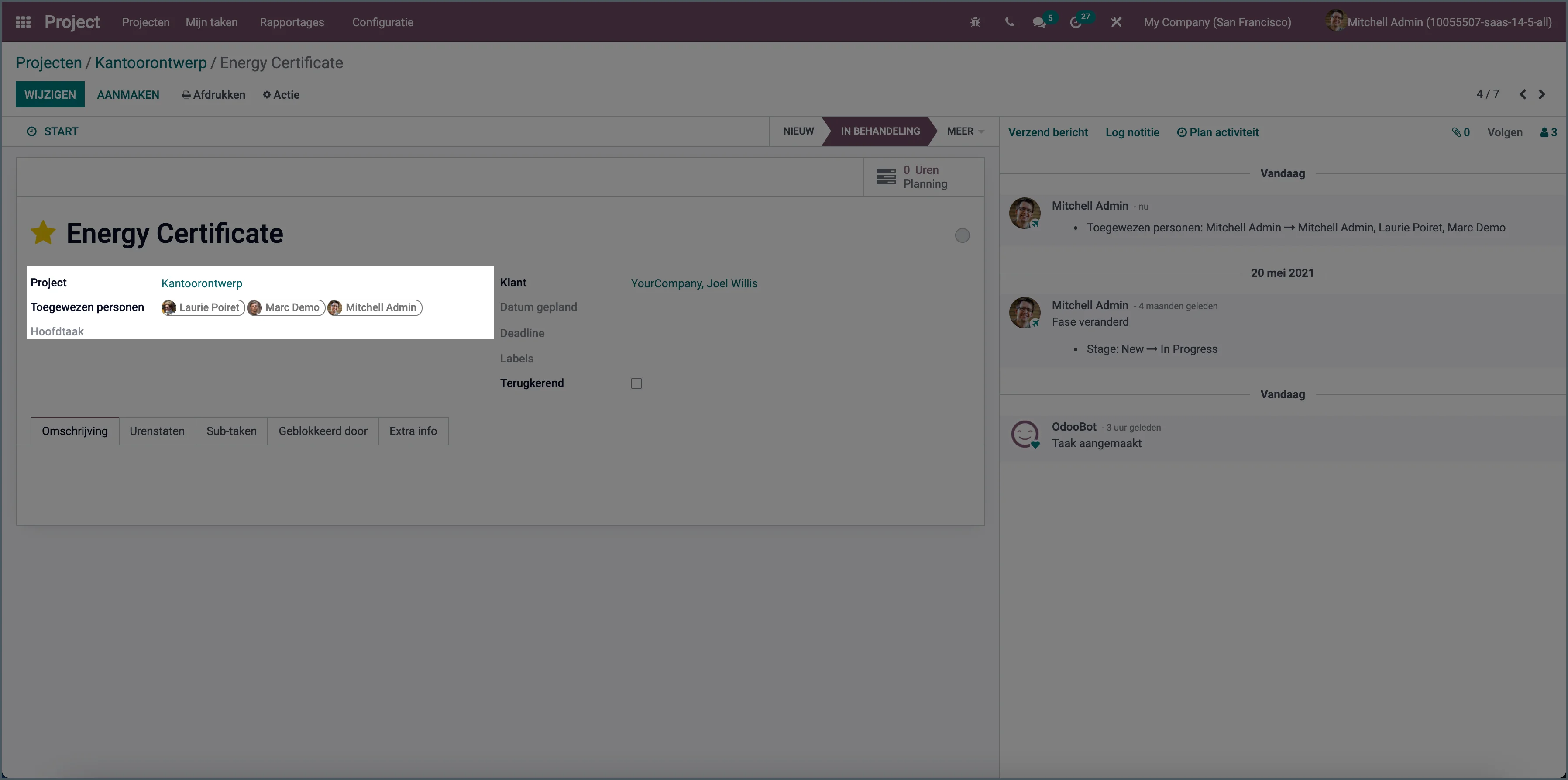
Working on a task with multiple people
You can now assign multiple employees to a task so they can collaborate at the same time.
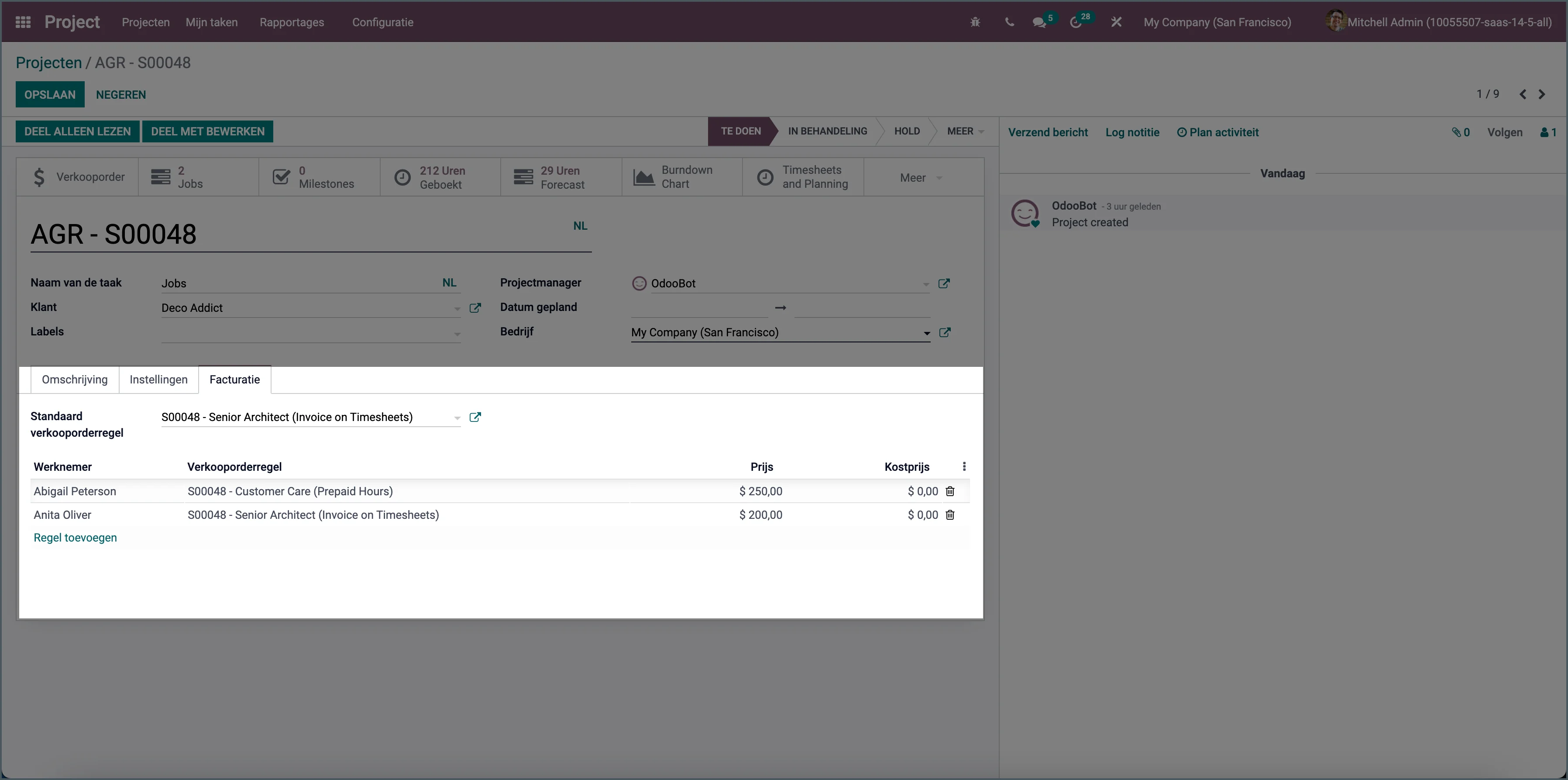
Different rates per project employee
You could already set the sales price of a project employee per project. Now you can also set an employee's cost price on a project.
Burndown chart
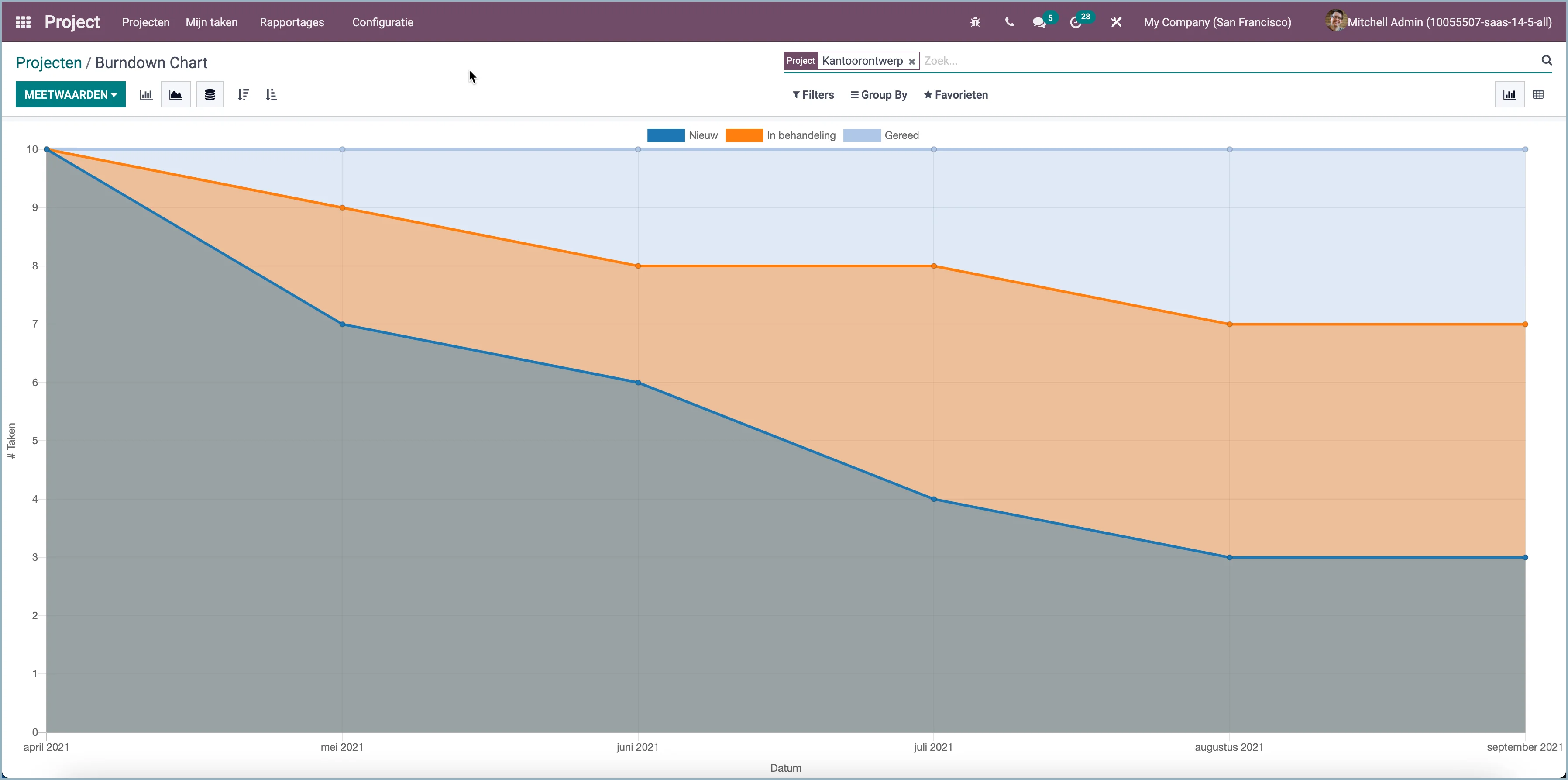
There is also a new burndown chart view of your project progress. It shows the remaining tasks or activities over a certain period.
Personal stages
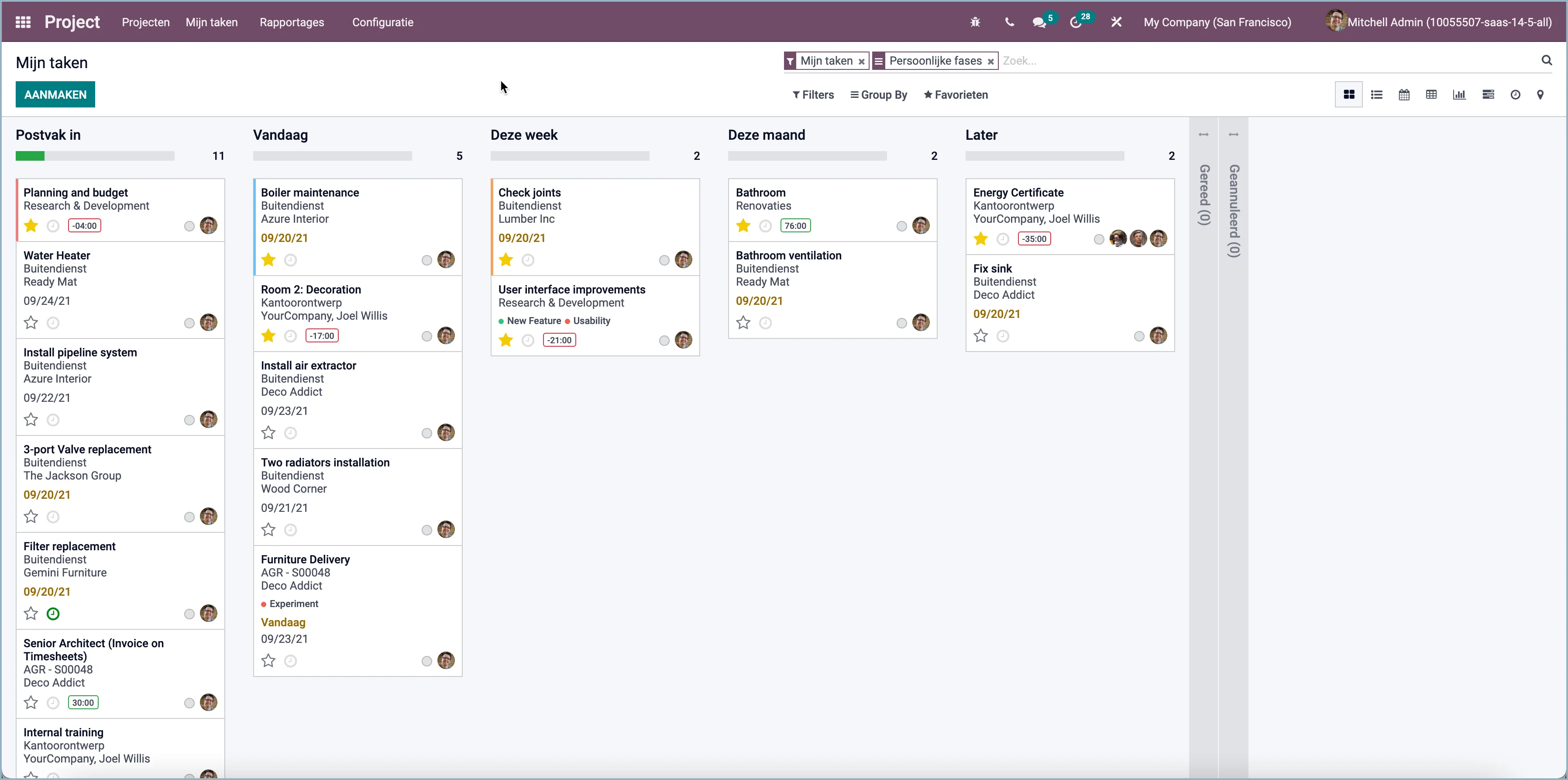
Tasks already went through the project's stages. But now you can also create additional personal stages to organize your daily work.
Milestones
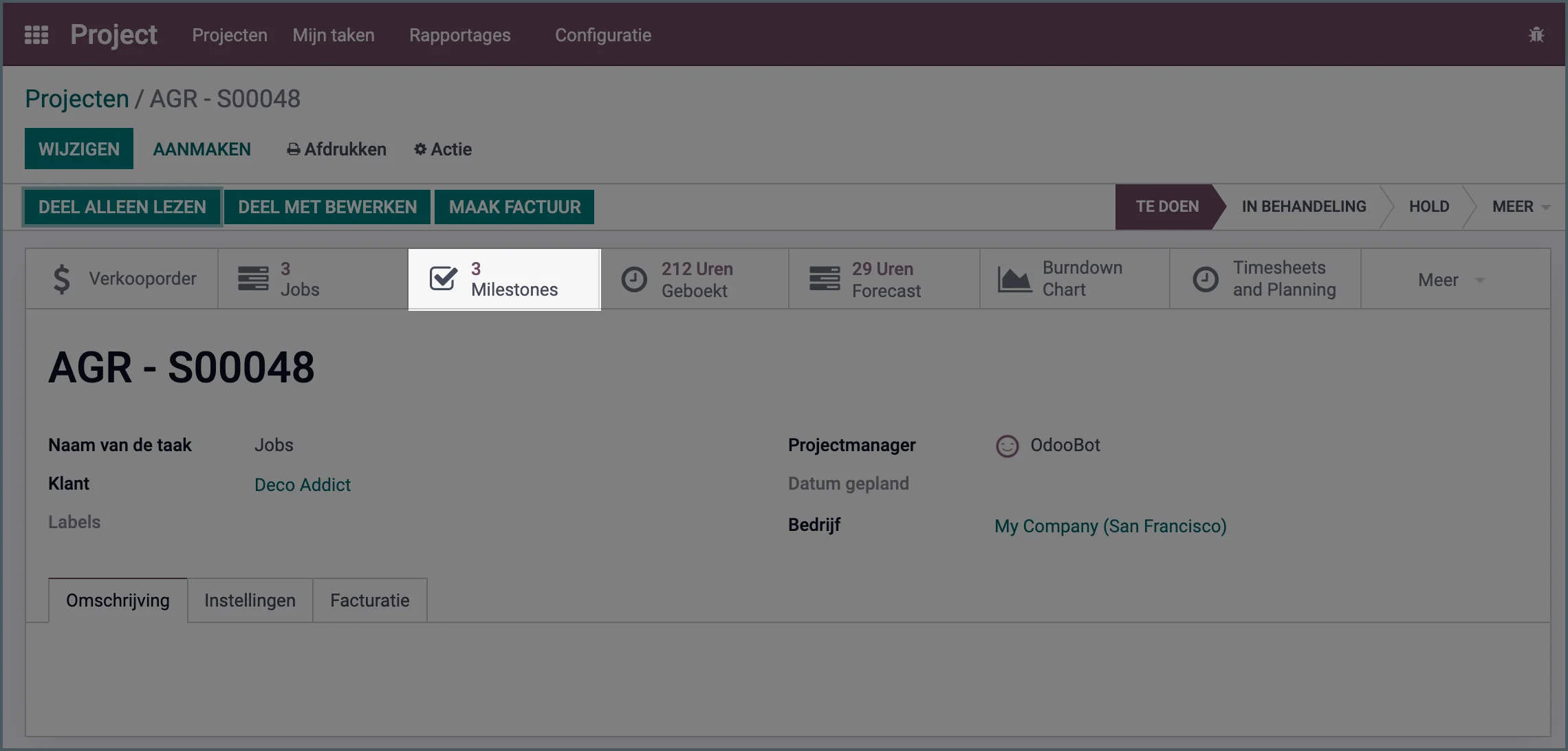
You can now define project milestones for each project. This lets you mark specific points on a project timeline.
Customer ratings
Customer ratings have been added to tasks and reports.
Improved task analysis
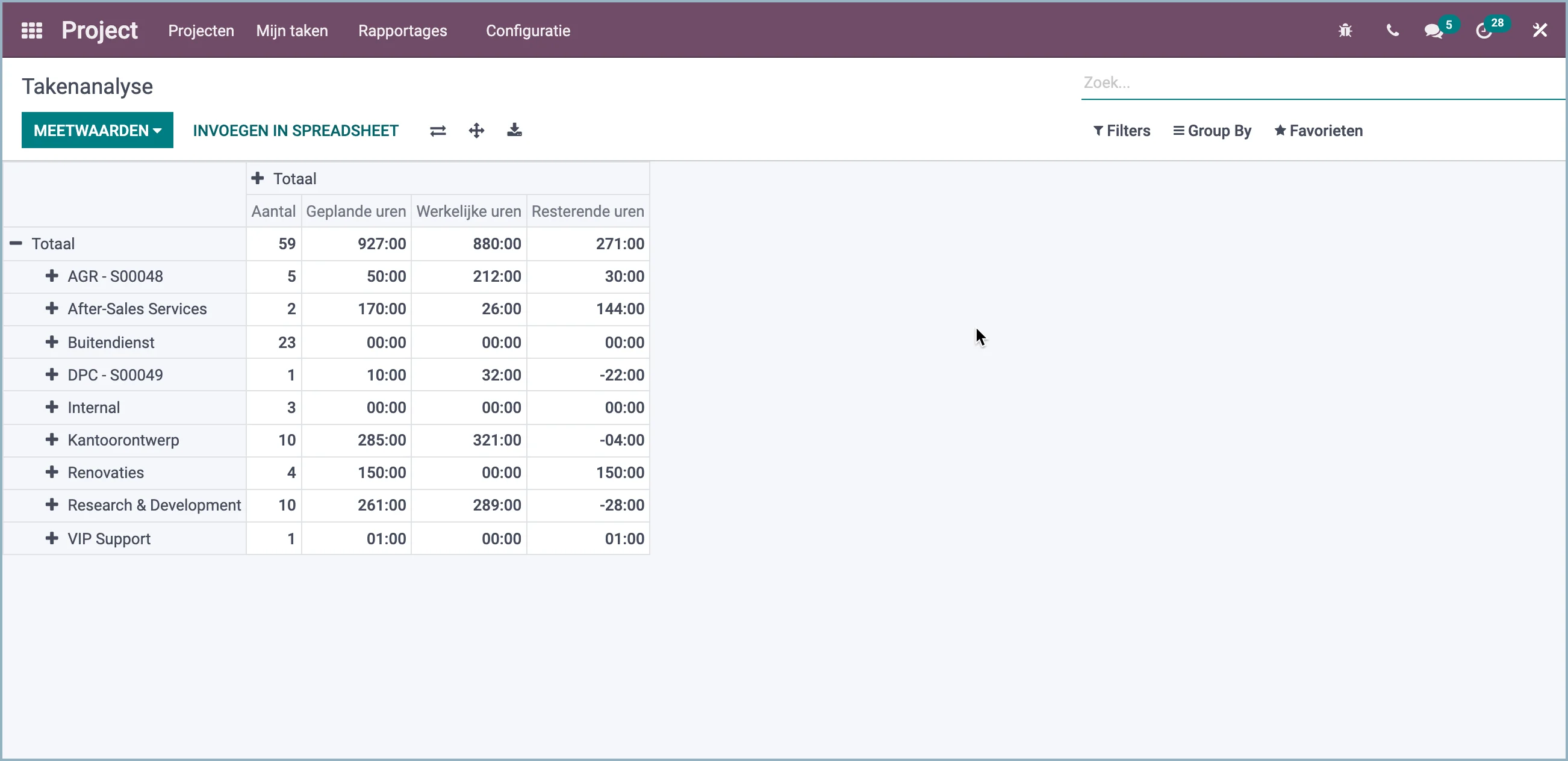
Odoo also has improved task analysis where you can now clearly see the estimated hours, the hours worked, and the remaining hours.
Project overview
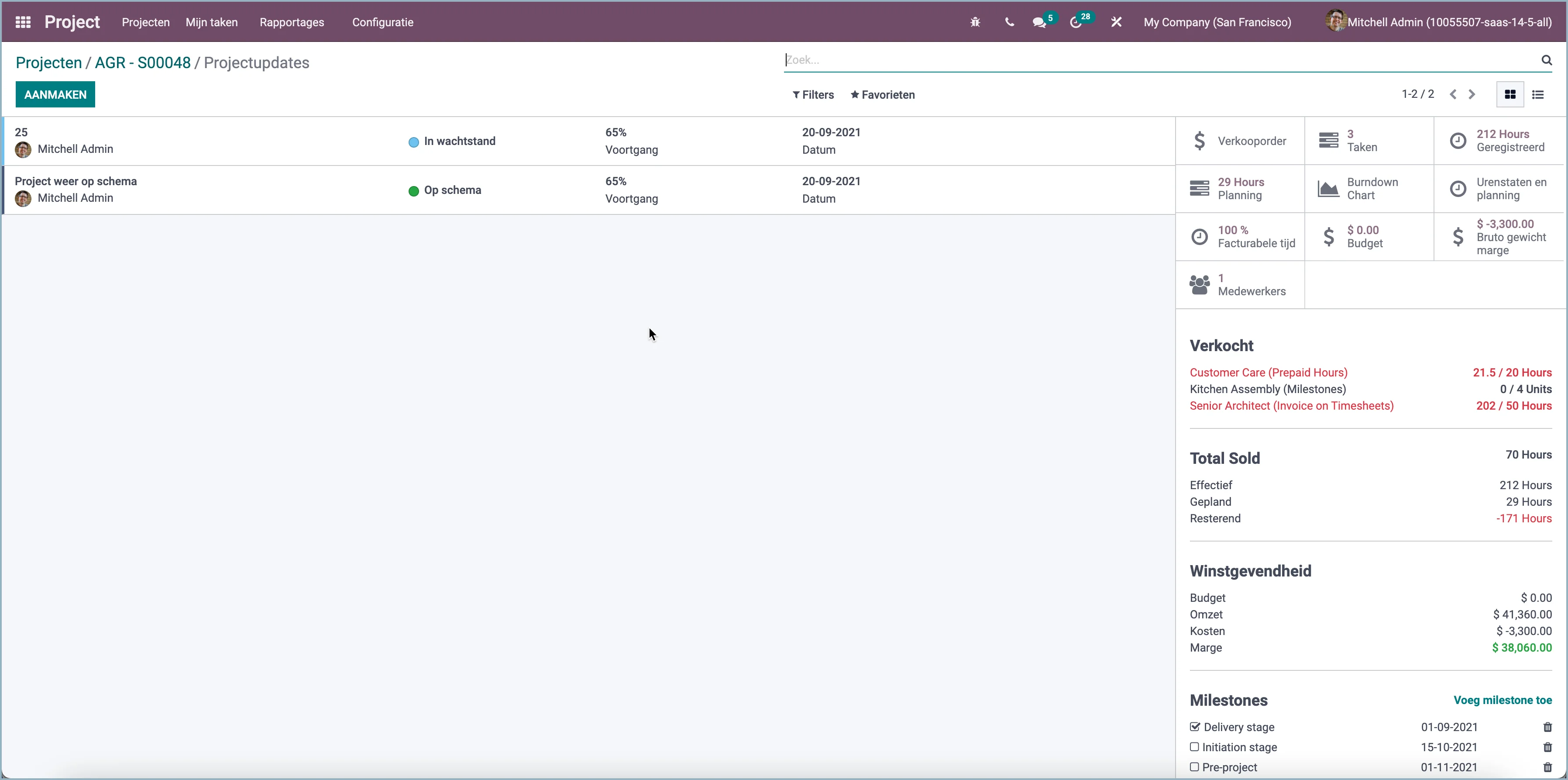
The project overview from previous Odoo versions has been replaced by a completely new project updates view. The view shows the project's updates, status, budget, hours, profitability, milestones, and much more.
Sharing projects
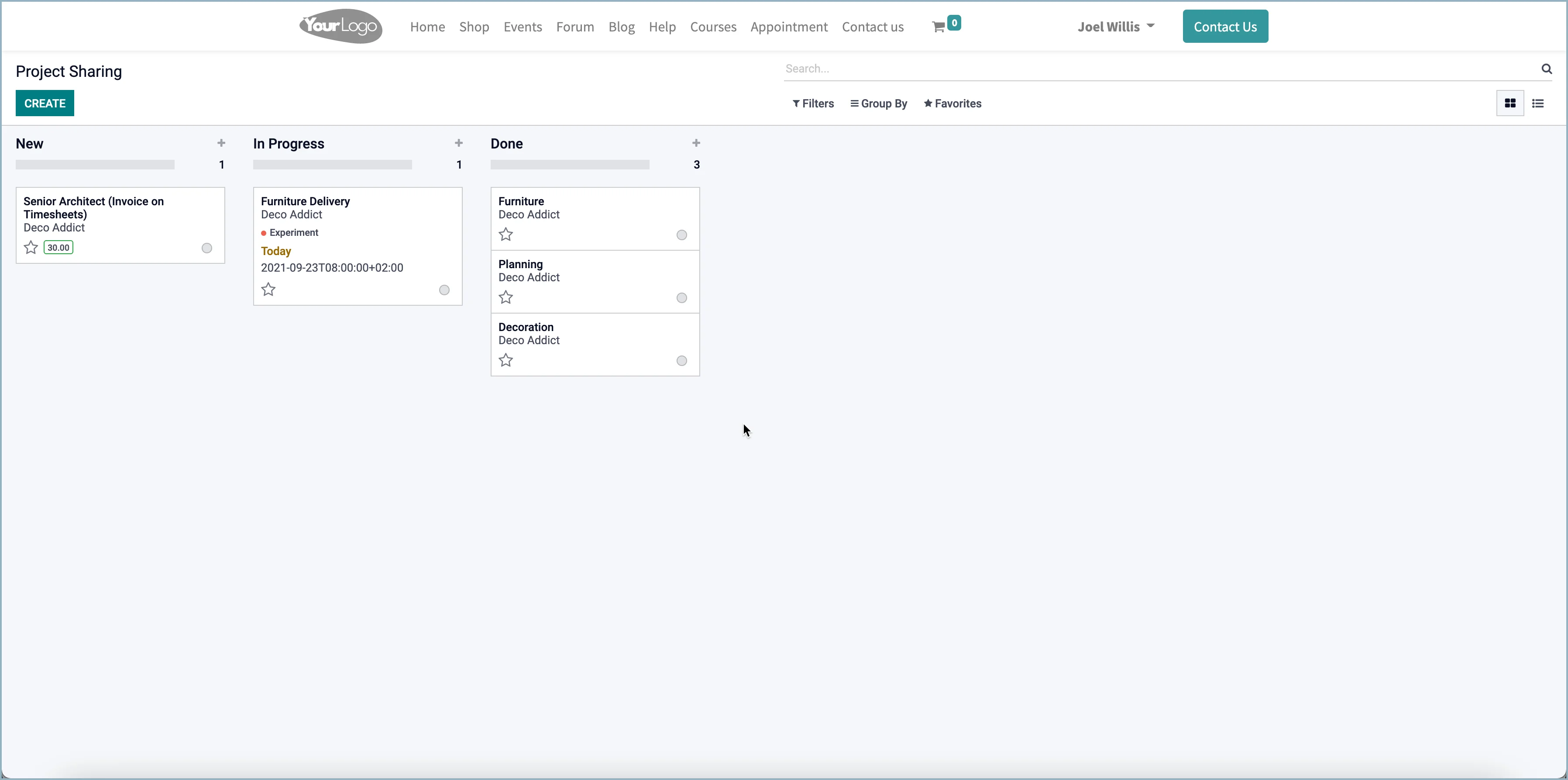
Perhaps the biggest change is that a project can now be shared with external people. Via the Odoo portal, they can collaborate on the project and have the same kanban view of the tasks.
Task dependencies
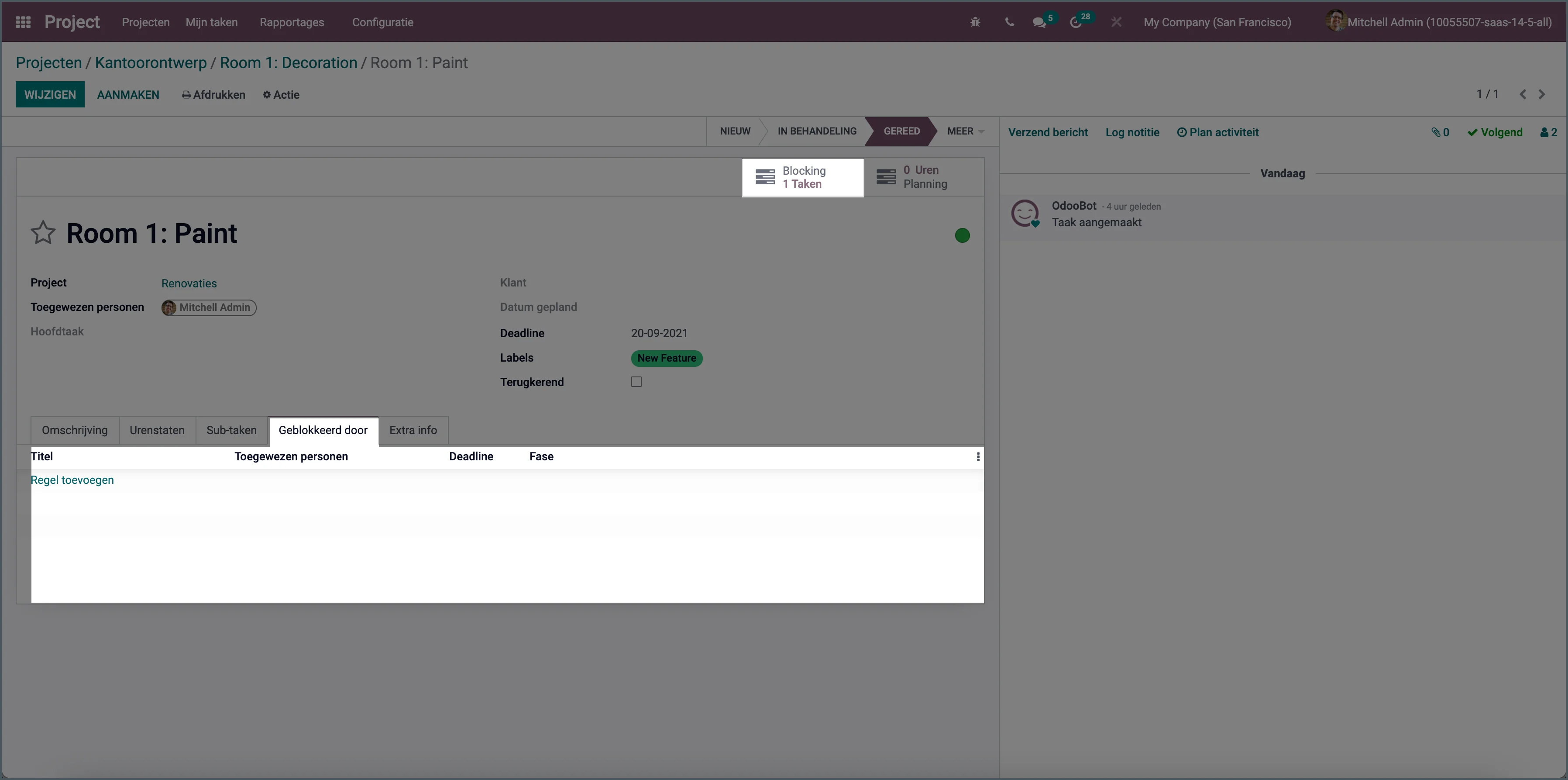
From this version onward, you can create dependencies between tasks to indicate which task must be completed first before the next task can start.
Linked cost centers
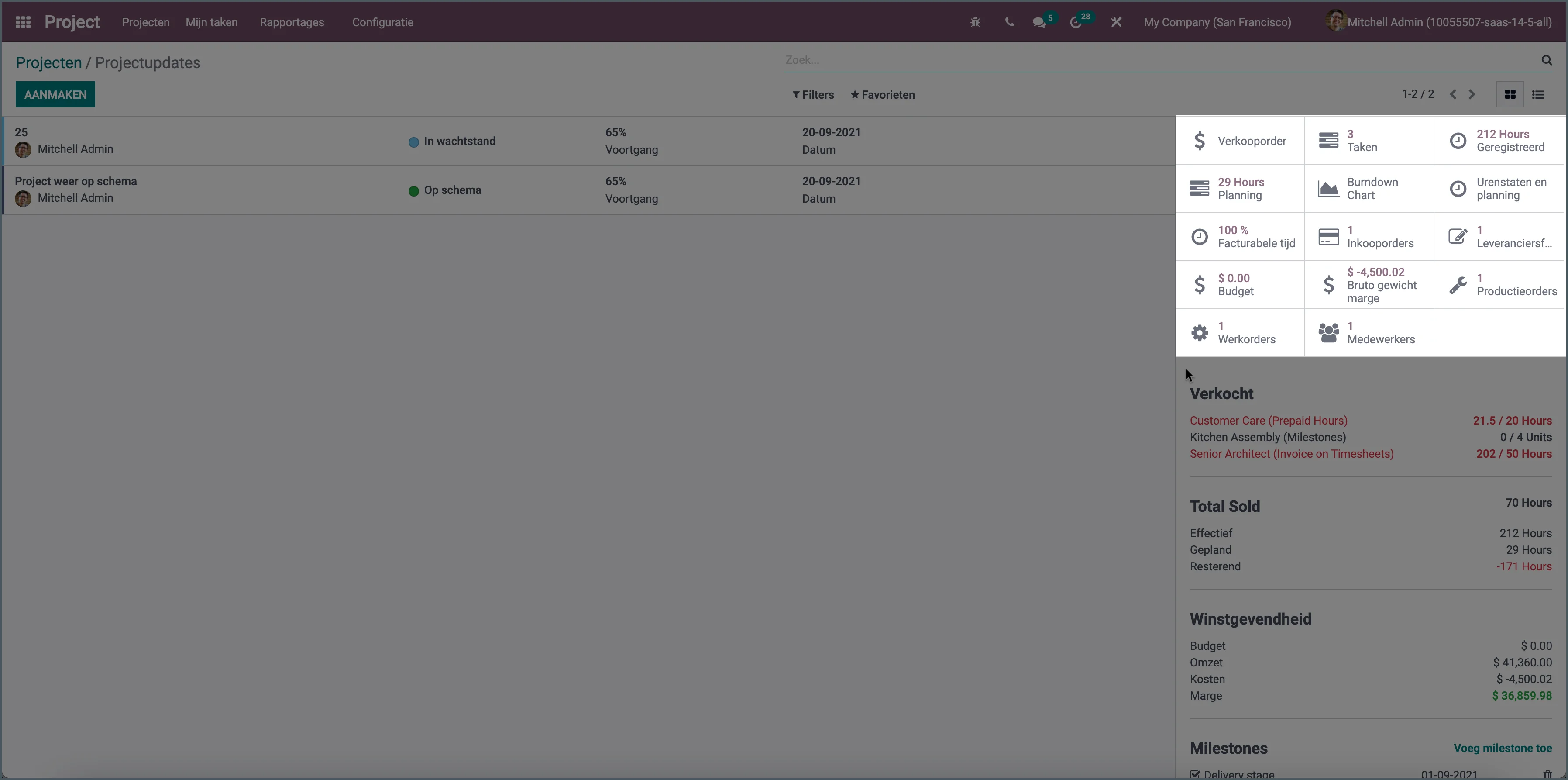
Every project in Odoo is a cost center. If you use that same cost center for purchases, production, or a budget, that information is now displayed on the project.
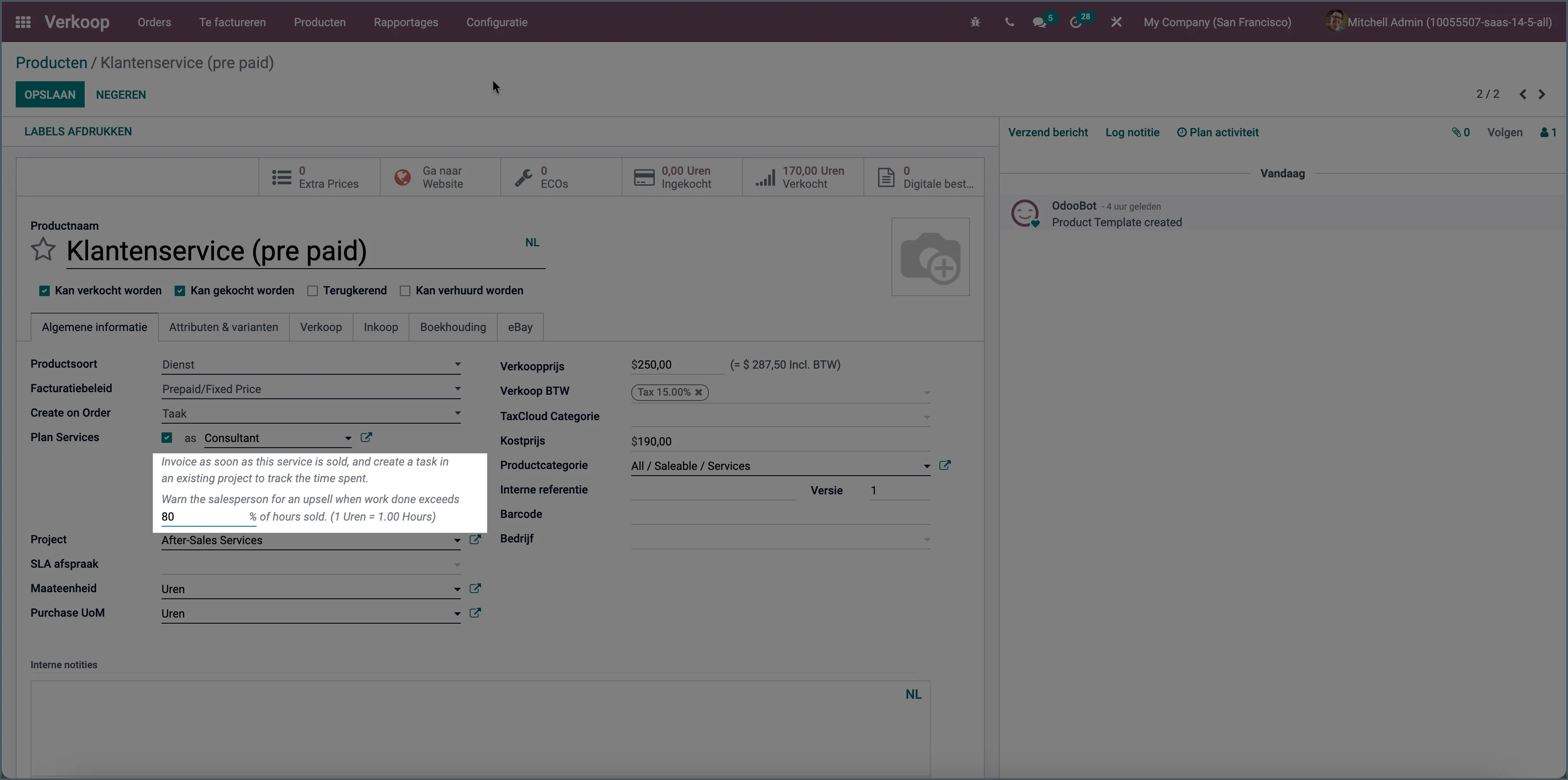
Upsell percentage
For a prepaid services product, you can now set at what percentage of consumed hours Odoo should give an upsell notification.
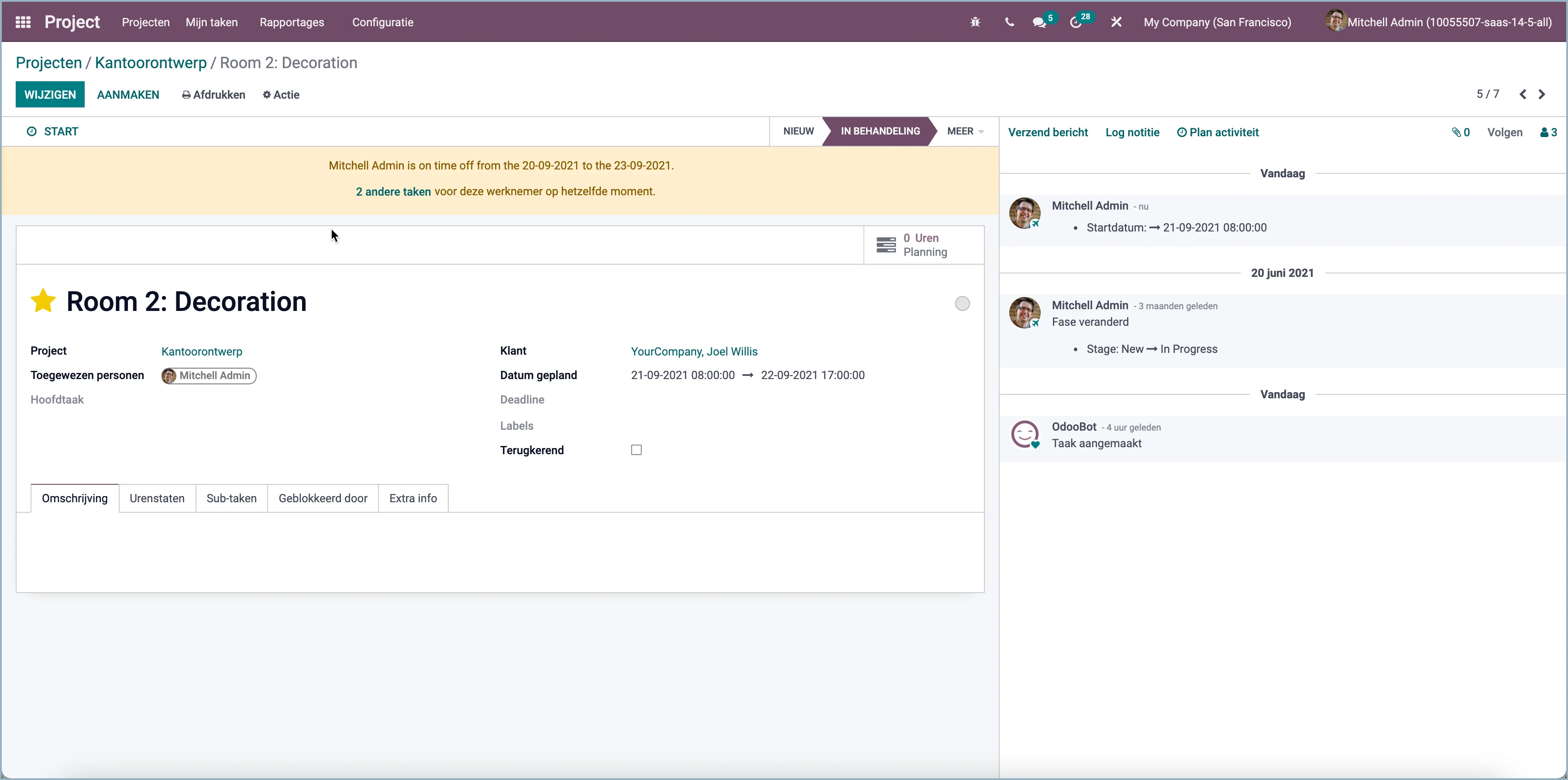
Project employee on leave
A warning is displayed indicating that an employee is on leave when the task is scheduled.
Official holidays in timesheets
In an employee's working hours, you can also enter official holidays (and other mandatory leave days). Odoo will now automatically add a timesheet entry for those days.
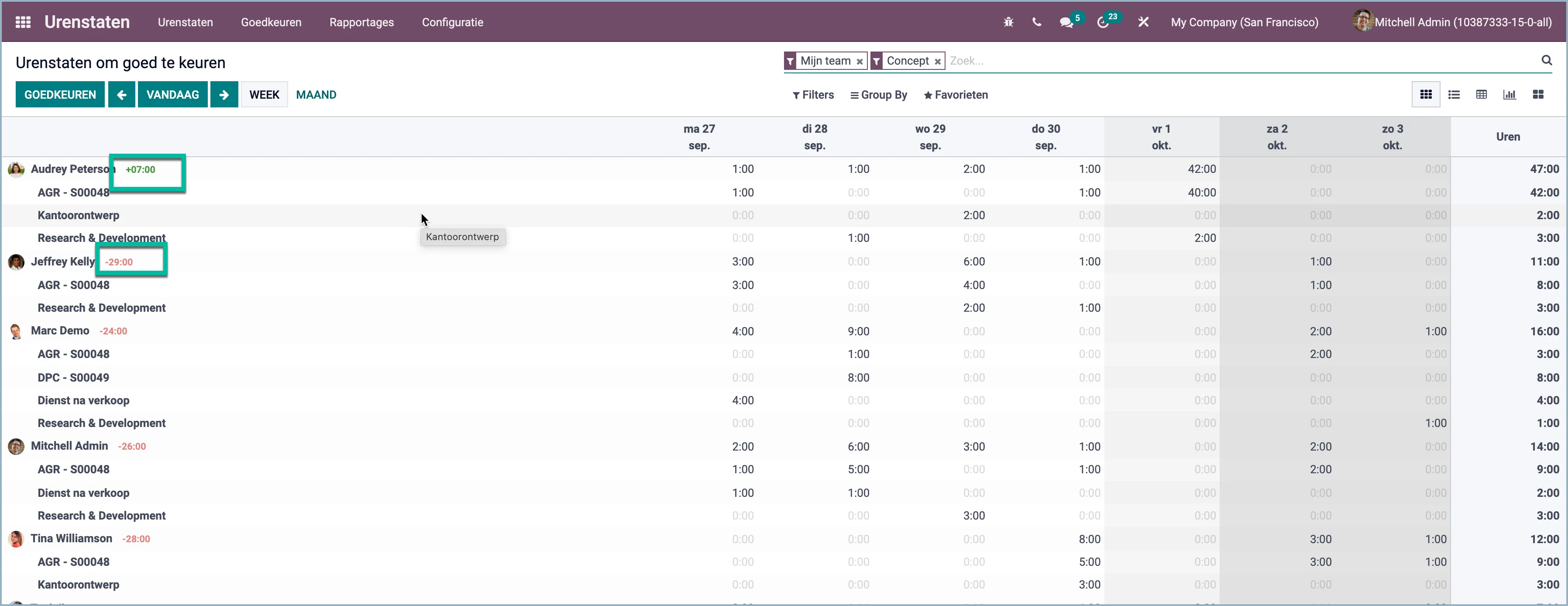
Overtime now easier to understand
When approving timesheets, it is now shown, based on the employee's working schedule, whether he/she has worked too few or too many hours.